Timeout Parameter
A user session will end when the timeout parameter for inactivity has been reached, and the user will be logged out. By default this is set to 15 minutes.
The timeout parameter is configured within the AccessInformationCenter.Service.exe.Config file in
the Access Reviews installation directory:
...\Netwrix\Access Reviews
Step 1 – Open the AccessInformationCenter.Service.exe.Config file with a text editor, e.g.
Notepad.
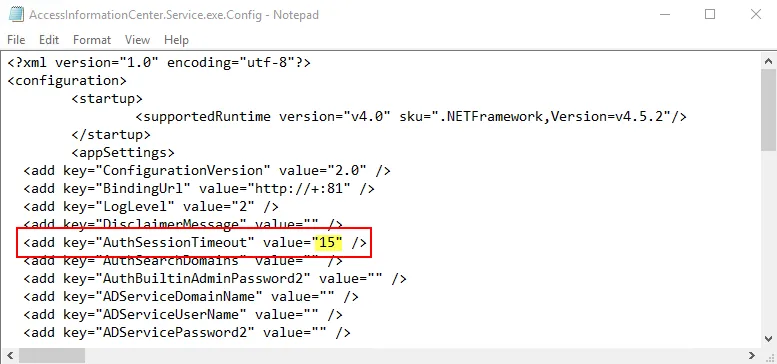
Step 2 – Change the value for the AuthSessionTimeout parameter to your preferred number of
minutes. For example:
Step 3 – Save and close the file.
A user session times out after the number of minutes specified for inactivity, for example after 20 minutes.