Alerts
If you want to be notified about suspicious activity, you can configure alerts to be triggered by specific events. Alerts are sent after the specified action is detected. This helps you respond to critical actions and mitigate risks after suspicious activity occurs.
Review the following to take advantage of the Alerts functionality:
- See theManage Alerts topic for additional information on how to edit and enable existing predefined alerts, and create new alerts based on the predefined ones.
- See the Create Alerts topic for additional information on how to create custom alerts with your personal filters.
- If you need to be alerted on specific events in your Event Logs or non-owner mailbox access attempts, see the Create Alerts for Event Log and Create Alerts for Non-Owner Mailbox Access Events topics for additional information.
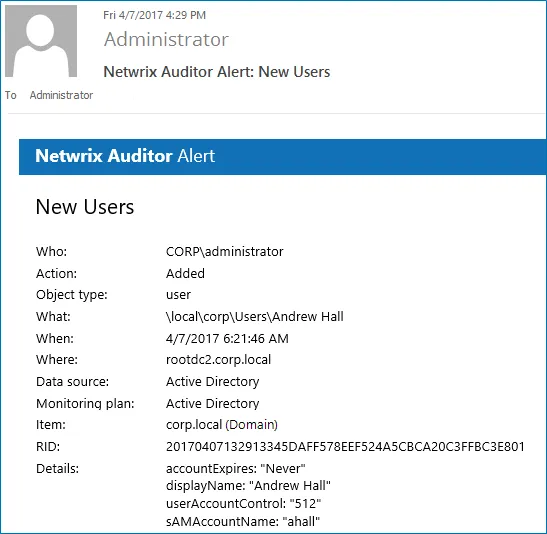
The example alert is triggered when a new user is created in the monitored domain.
Tags
Apply tags when creating an alert to distinguish one alert from another or create groups of similar alerts. Tags help organize related alerts.
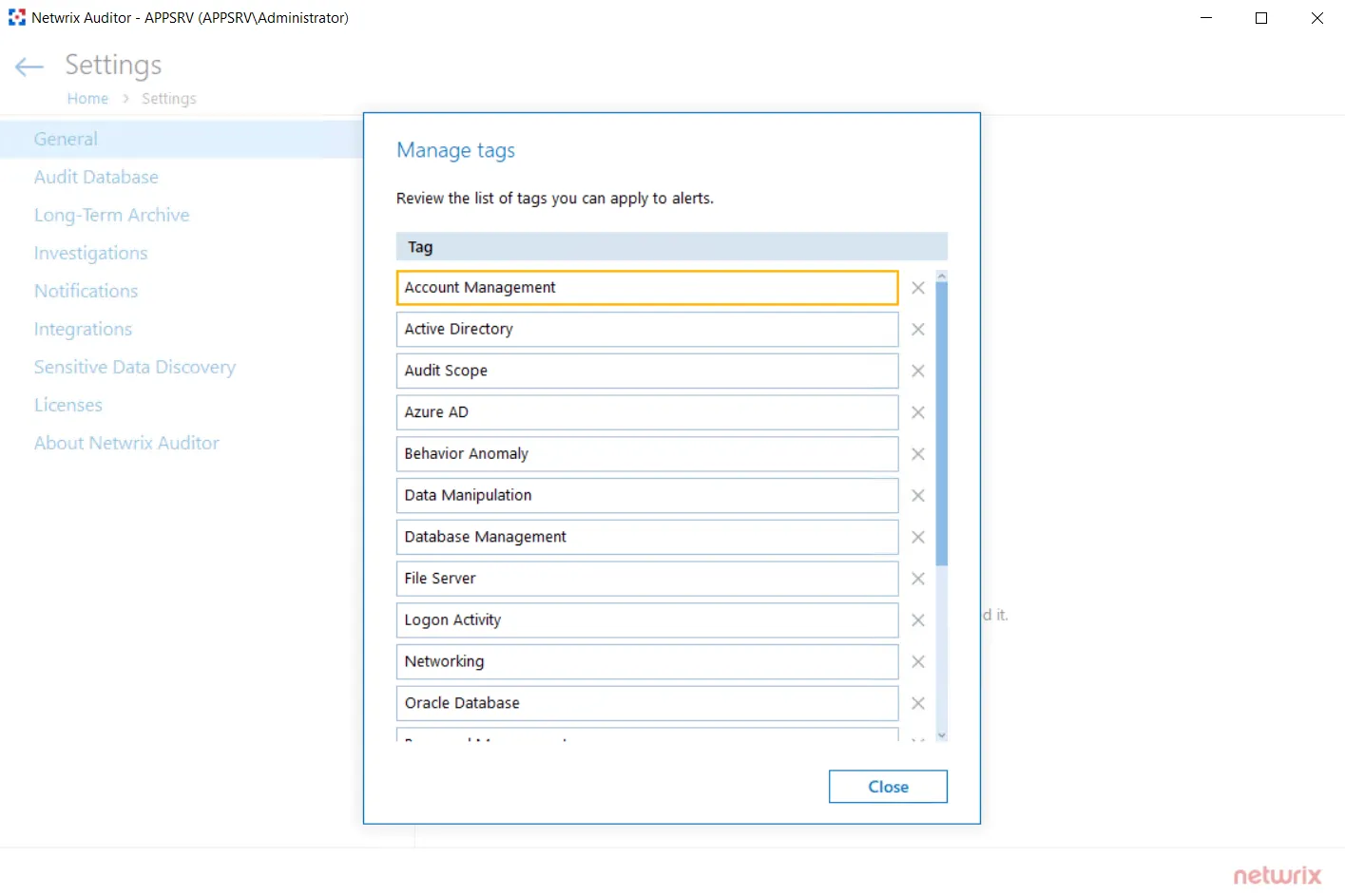
The Tags page contains a complete list of alerts that were created in the product. you can't assign or create tags on this page.
To apply tags to an alert, navigate to alert settings and locate the Apply tags section on the General tab. See the Create Alerts topic to receive information about tags applying.