Enable Auditing for Dell PowerStore
To enable auditing on Dell PowerStore, complete the following:
- Create an Event Publishing Pool
- Create an Event Publisher
- Enable Event Publishing for the NAS Server OR Enable or Disable Event Publishing for File System
See the Dell PowerStore - File Capabilities white paper for additional information.
Create an Event Publishing Pool
To create a new event publishing pool, complete the following:
Step 1 – Select Storage > NAS Servers > NAS Settings > Publishing Pools.
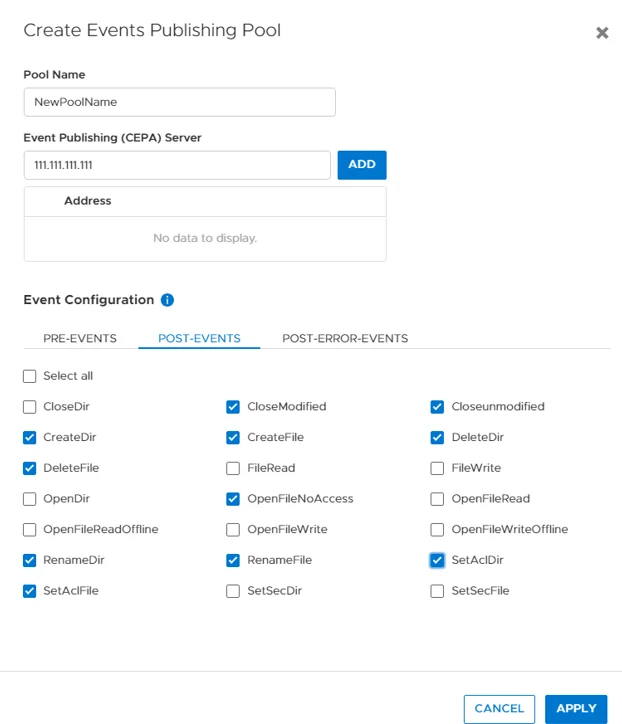
Step 2 – Click Create and specify the name of the pool.
Step 3 – Specify CEE's address or addresses.
-
For SMB shares monitoring (CIFS) enable following Post-Events: –
- CloseModified
- CloseUnmodified
- CreateDir
- CreateFile
- DeleteDir
- DeleteFile
- OpenFileNoAccess
- RenameDir
- RenameFile
- SetAclDir
- SetAclFile
-
For NFS exports monitoring enable following Post-Events: –
- CloseModified,
- CloseUnmodified
- CreateDir
- CreateFile
- DeleteDir
- DeleteFile
- FileRead
- FileWrite
- OpenFileNoAccess
- RenameDir
- RenameFile
- SetAclDir
- SetAclFile
- SetSecDir
- SetSecFile
Step 4 – Click Apply.
Create an Event Publisher
To create an event publisher, complete the following:
Step 1 – Select Storage > NAS Servers > NAS Settings > Events Publishers.
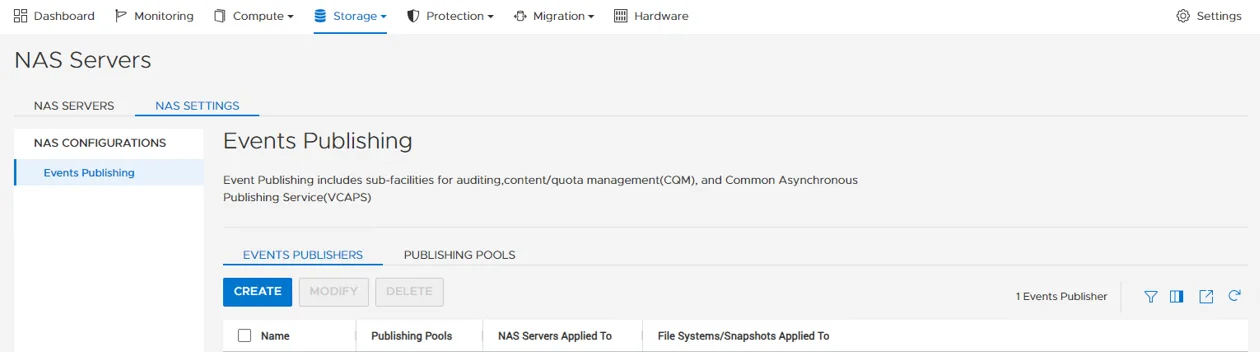
Step 2 – Click Create.
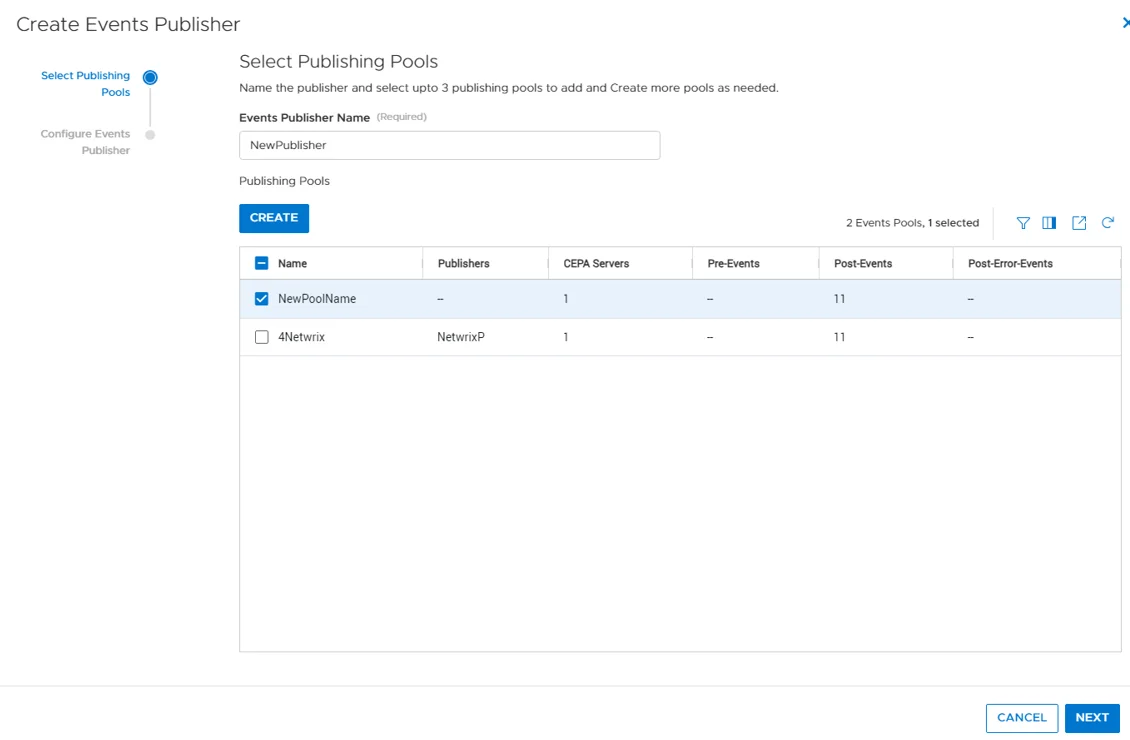
Step 3 – Specify the name of the publisher.
Step 4 – Select the pool and click Next.
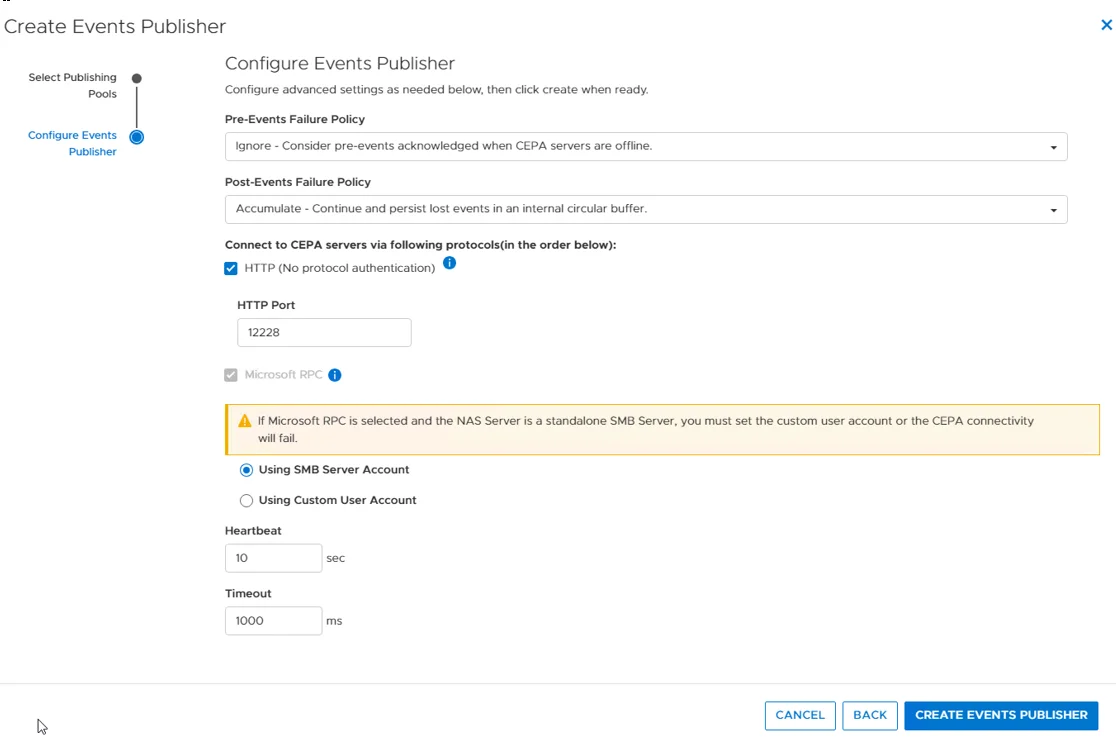
Step 5 – Specify Pre-Events Failure Policy as "Ignore - Consider pre-event acknowledged when CEPA servers are offline".
Step 6 – Specify Post-Events Failure Policy as "Accumulate - Continue and persist lost events in an internal circular buffer".
Step 7 – Click Create Events Publisher.
The events publisher is created.
Enable Event Publishing for the NAS Server
To enable event publishing for the NAS Server, complete the following:
Step 1 – Select Storage > NAS Servers.
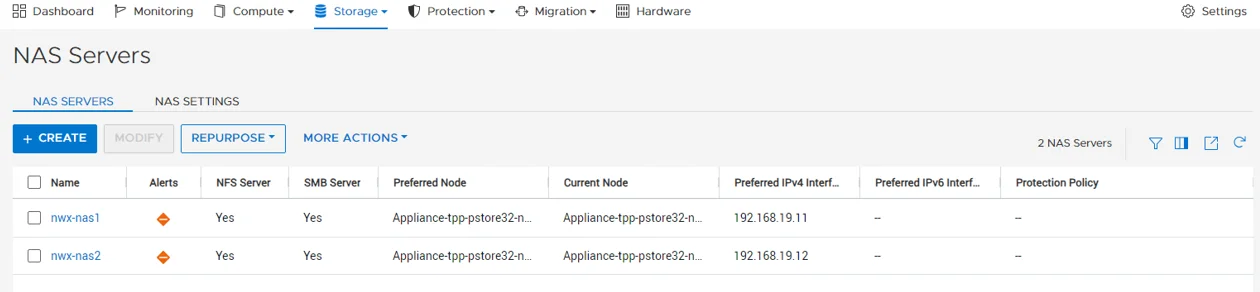
Step 2 – Go to [NAS SERVER] > Security & Events > Events Publishing.
Step 3 – Enable and select the publisher.
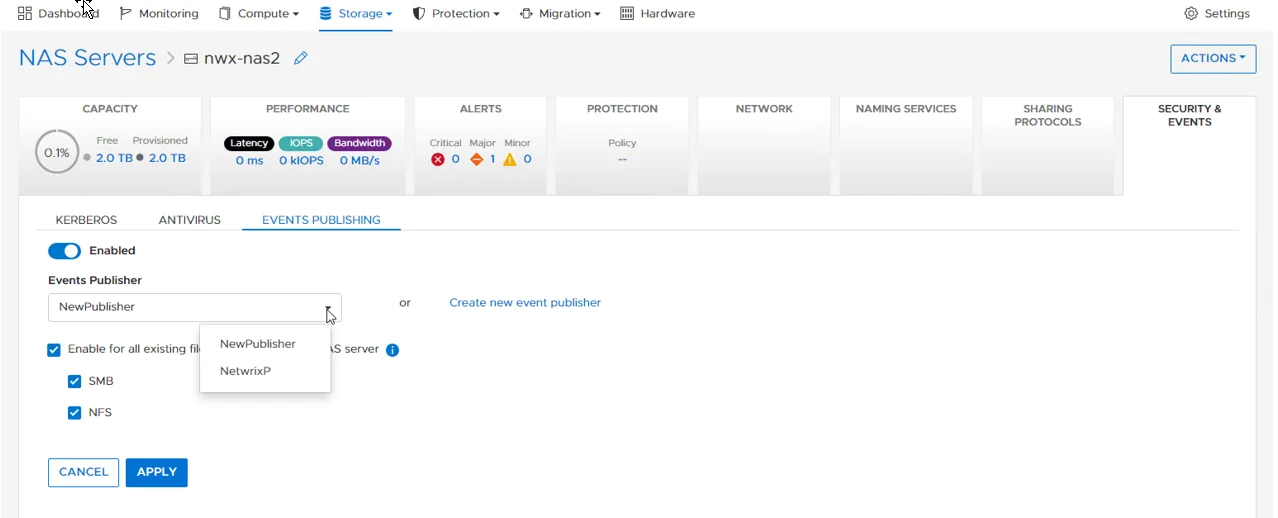
Step 4 – You can enable the event publishing for all file systems on the NAS by checking the box and selecting protocols.
Dell PowerStore is enabled for auditing.
Enable or Disable Event Publishing for File System
To enable or disable event publishing for each file system individually, complete the following:
Step 1 – Select Storage > File Systems > [FILE SYSTEM] > Security & Events > Events Publishing.
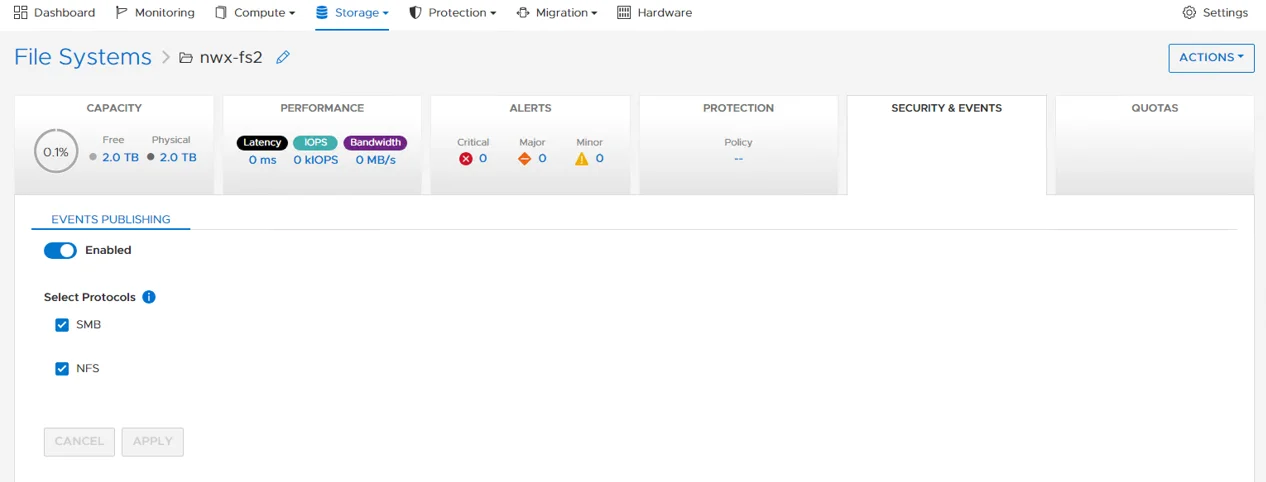
Step 2 – Enable and select protocols needed.
Dell PowerStore is enabled for auditing.