Panzura Tab
The Panzura Tab provides features to configure settings for monitoring Panzura devices.
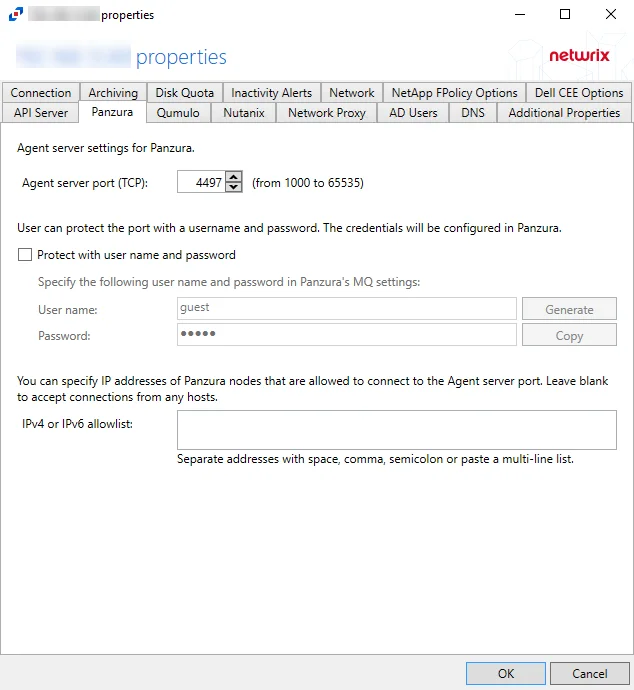
The available options are:
-
Agent server port (TCP) - Enter the agent server port. The default is 4497.
-
Users can protect the port with a username and password. Configure the credentials in Panzura:
- User name – Enter a custom user name or click Generate to create a random username and password
- Password – Enter a custom password or use the generated password. Click Copy to copy the user name and password to the clipboard.
-
IPv4 or IPv6 allowlist – Enter the IP addresses of remote hosts that are allowed to connect to the API port in the box. Enter IP addresses as separate addresses with space, comma (,), semicolon (;), or a multi-line list. Leave the box blank to accept connections from any hosts.
Click OK to commit the modifications. Click Cancel to discard the modifications. The Agent Properties window closes.