0-FSDFS System Scans Job
The 0-FSDFS System Scans job enumerates all root and link targets in the distributed file system and creates a dynamic host list for the components to use.
Query for the 0-FSDFS System Scans Job
The DFS System Scan Query uses the FSAA Data Collector and has been preconfigured to use the DFS Scan Category.
warning
Don't modify the query. The query is preconfigured for this job.
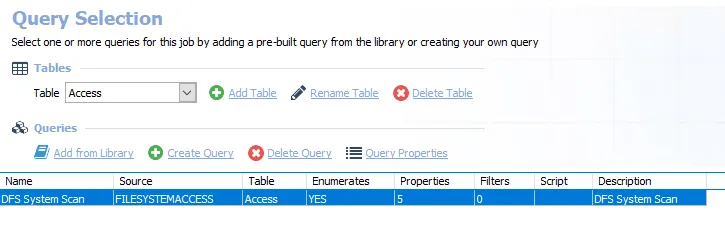
- DFS System Scan – Scans the DFS System
Analysis Tasks for the 0-FSDFS System Scans Job
View the analysis tasks by navigating to the FileSystem > 0.Collection > 0-FSDFS System Scans > Configure node and selecting Analysis.
warning
Don't modify or deselect the selected analysis tasks. The analysis tasks are preconfigured for this job.
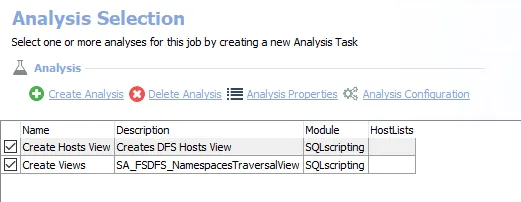
The following analysis tasks are selected by default:
- Create Hosts View – Creates the 0-FSDFS_System_HostView visible through the Results node that contains the dynamic host list
- Create Views – Creates the FSDFS_NamespacesTraversalView visible through the Results node that contains expansion of all the scanned namespaces