AAD_LargestGroups Job
The AAD_LargestGroups Job identifies groups with large effective member counts. These groups can create administrative overhead, making it hard to see who has access to resources and how much access these groups grant.
Analysis Tasks for the AAD_LargestGroups Job
Navigate to the Jobs > Entra ID > 1.Groups > AAD_LargestGroups > Configure node and select Analysis to view the analysis tasks.
warning
Don't modify or deselect the selected analysis tasks. The analysis tasks are preconfigured for this job.
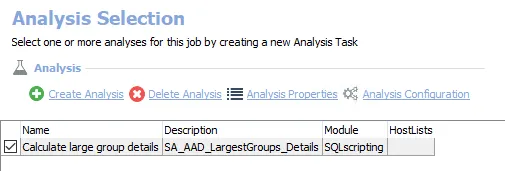
The default analysis tasks are:
- Calculate large group details – Creates the AAD_LargestGroups_Details table accessible under the job’s Results node
In addition to the tables created by the analysis tasks, the AAD_LargestGroups Job produces the following pre-configured report.
| Report | Description | Default Tags | Report Elements |
|---|---|---|---|
| Largest Groups | This report identifies the largest groups within the audited environment | None | This report is comprised of two elements:
|