MongoDB Solution
Data privacy and security is quickly evolving to be on equal footing with traditional security measures focused on the network, hardware, or software that contains the data. Organizations aligning to concepts like Data-Centric Audit and Protection (DCAP) as defined by Gartner, or the requirements of strict compliance regulations like EU GDPR, are looking to implement processes that help them understand where sensitive data is stored, who or what is leveraging their privileges to access the data, and how each database has been configured.
As part of Stealthbits comprehensive Data Access Governance suite for structured and unstructured data, Access Analyzer for MongoDB automates the process of understanding where MongoDB databases exist and provides an overview of the MongoDB environment to answer questions around data access:
- Who has access to your data?
- Where is sensitive data being stored?
With visibility into all areas of MongoDB, organizations can proactively highlight and prioritize risks to sensitive data. Additionally, organizations can automate manual, time-consuming, and expensive processes associated with compliance, security, and operations to adhere to best practices that keep MongoDB Server safe and operational.
Supported Platforms
- MongoDB 5.0
- MongoDB 6.0
- MongoDB 7.0
- Windows and Linux distributions supported by MongoDB
Requirements, Permissions, and Ports
See the Target MongoDB Requirements, Permissions, and Ports topic for additional information.
Sensitive Data Discovery Considerations
If you run Sensitive Data Discovery (SDD) scans, increase the minimum amount of RAM. Each thread requires a minimum of 2 additional GB of RAM per host. For example, a job configured to scan 8 hosts at a time requires an extra 16 GB of RAM (8x2=16).
By default, the job uses 10 threads. You can adjust this based on available resources on the Access Analyzer server.
Access Analyzer installs the appropriate JDK (Java) version for Sensitive Data Discovery on the server. This JDK comes prepackaged and preconfigured for Access Analyzer, so don't customize it through Java. It will not conflict with other JDKs or Java Runtimes in the same environment.
Location
The Structured Sensitive Data Discovery License is required to run the MongoDB Solution. You can install it from the Access Analyzer Instant Job Wizard. After you install it in the Jobs tree, navigate to the solution: Jobs > Databases > MongoDB.
The 0.Collection Job Group scans MongoDB instances on the target hosts, and collects configuration and sensitive data. The other job groups analyze the collected data and generate reports.
The Database Solution license covers all database platforms that Access Analyzer supports. Additionally, Sensitive Data Discovery enables the solution to search database content for sensitive data.
Job Groups
The Access Analyzer MongoDB Solution Set is a set of pre-configured jobs and reports that provides visibility into MongoDB Sensitive Data.
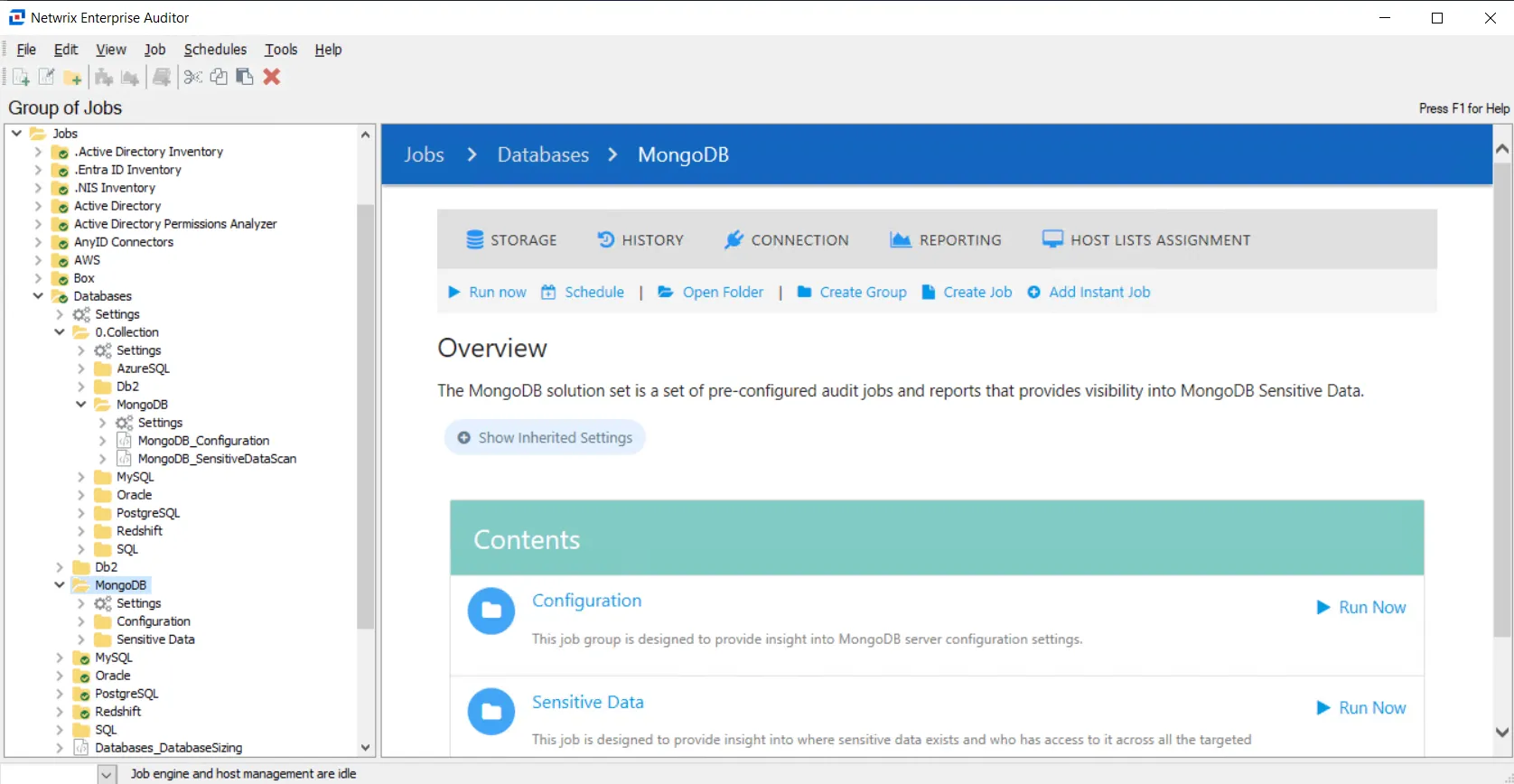
The following job groups comprise the MongoDB Solution:
- 0.Collection Job Group — Collects high level summary information from targeted MongoDB Servers. Other jobs in the MongoDB Solution Set use this information for further analysis and to produce respective reports.
- Analysis Tasks for the MongoDB_Database_Sizing Job — Provides insight into MongoDB server configuration settings
- Sensitive Data > MongoDB_SensitiveData Job — Provides insight into where sensitive data exists and who has access to it across all the targeted MongoDB databases