Box_Sharing Job
The Box_Sharing Job provides details on sharing activity that has occurred over the past 30 days.
Analysis Tasks for the Box_Sharing Job
Navigate to Box > 1.Activity > Forensics > Box_Sharing > Configure node and select Analysis.
warning
Don't modify or deselect the selected analysis tasks. The analysis tasks are preconfigured for this job.
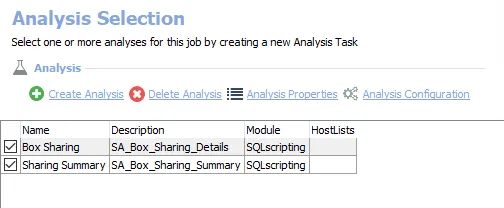
The following analysis tasks are selected by default:
- Box Sharing – Creates the Box_Sharing_Details table accessible under the job’s Results node
- Sharing Summary – Creates an interim processing table in the database for use by downstream analysis and report generation
In addition to the tables created by the analysis tasks, the Box_Sharing Job produces the following pre-configured report:
| Report | Description | Default Tags | Report Elements |
|---|---|---|---|
| Sharing Activity Summary | This report identifies resource sharing within the target Box environments. The line graph will highlight time periods of the highest rate of sharing within the past 30 days. | None | This report is comprised of two elements:
|