Box_Downloads Job
The Box_Downloads Job provides details on file and folder deletions that have occurred over the past 30 days.
Analysis Tasks for the Box_Downloads Job
Navigate to Box > 1.Activity > Forensics > Box_Downloads > Configure node and select Analysis.
warning
Don't modify or deselect the selected analysis tasks. The analysis tasks are preconfigured for this job.
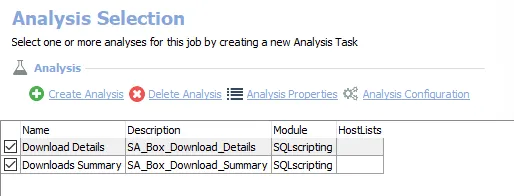
The following analysis tasks are selected by default:
- Download Details – Creates the Box_Download_Details table accessible under the job’s Results node
- Downloads Summary – Creates an interim processing table in the database for use by downstream analysis and report generation
In addition to the tables created by the analysis tasks, the Box_Downloads Job produces the following pre-configured report:
| Report | Description | Default Tags | Report Elements |
|---|---|---|---|
| Download Activity (Download Events) | This report identifies download events for the past 30 days. The detailed report shows all resources that were successfully downloaded as well as which users performed those events. | None | This report is comprised of three elements:
|