Upgrade SharePoint Agent
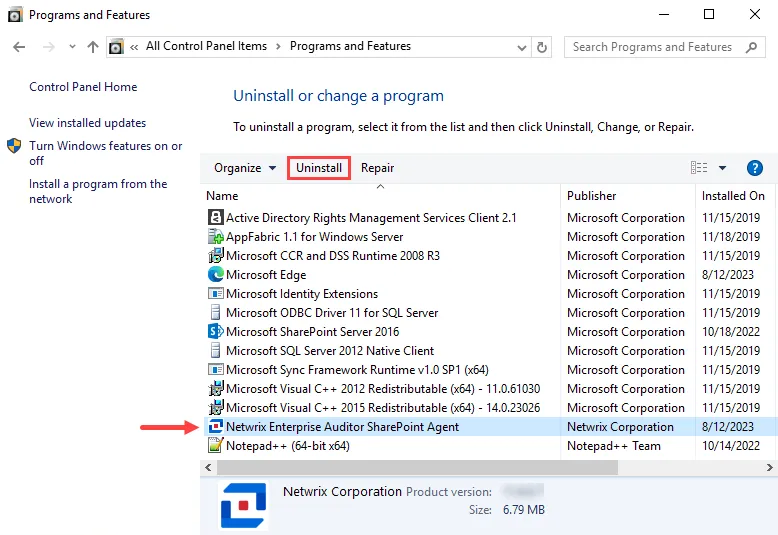
Step 1 – From Programs and Features (Control Panel > Programs > Programs and Features), uninstall the previous version of SharePoint Agent.
note
If you have the old Netwrix Sensitive Data Discovery Add-On installed, you must uninstall it before continuing with this upgrade. For Access Analyzer 12.0, the main installation includes Sensitive Data Discovery if your license includes it.
Step 2 – Install the new version of the SharePoint Agent. See the Installing the SharePoint Agent topic for instructions.
Now that you have upgraded the SharePoint Agent, the SharePoint Solution can use it. See the SharePoint Solution topic for additional information.