Uninstall Proxy Service Process
To properly uninstall the File System Proxy Service, uninstall the Access Analyzer File System Scanning Proxy program.
Step 1 – Open Control Panel and select Programs > Uninstall a program.
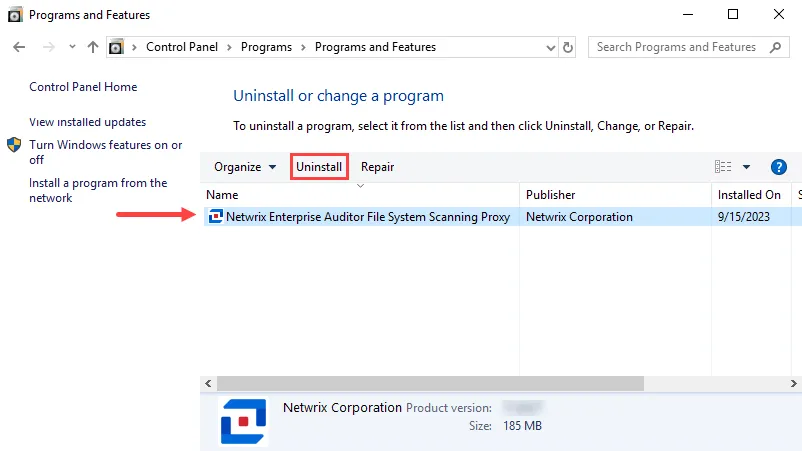
Step 2 – Select Netwrix Access Analyzer (formerly Enterprise Auditor) File System Scanning Proxy and click Uninstall.
If you configured the installation to use the LocalSystem account to run the RPC service, the uninstaller removes the two SPN values for that machine in Active Directory. If the service is running with a supplied account, you must manually remove the SPN values for that machine in Active Directory (unless you completed the uninstall as part of the Upgrade Proxy Service Procedure).
When the uninstall process is complete, the program no longer appears in the list.