Timeout Parameter for the Web Console
The Web Console has a default timeout parameter of 15 minutes. You can configure this within the WebServer.exe.config file in the Web folder of the Access Analyzer installation directory:
…\STEALTHbits\StealthAUDIT\Web
Step 1 – Open the WebServer.exe.config file with a text editor, for example Notepad.
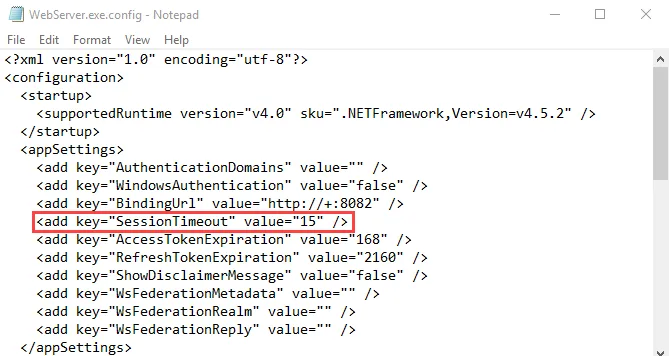
Step 2 – Change the value for the SessionTimeout parameter to the number of minutes you want:
<add key="SessionTimeout" value="15" />
Step 3 – Save and close the file.
The Web Console session will timeout after this many minutes of inactivity. This value will take precedence over session timeout values set within the product consoles, for example the AIC, when accessed through the Web Console.