Update Authentication Credentials in a Storage Profile
Step 1 – Navigate to the Settings > Storage page.
Step 2 – Locate and select a Storage Profile to update.
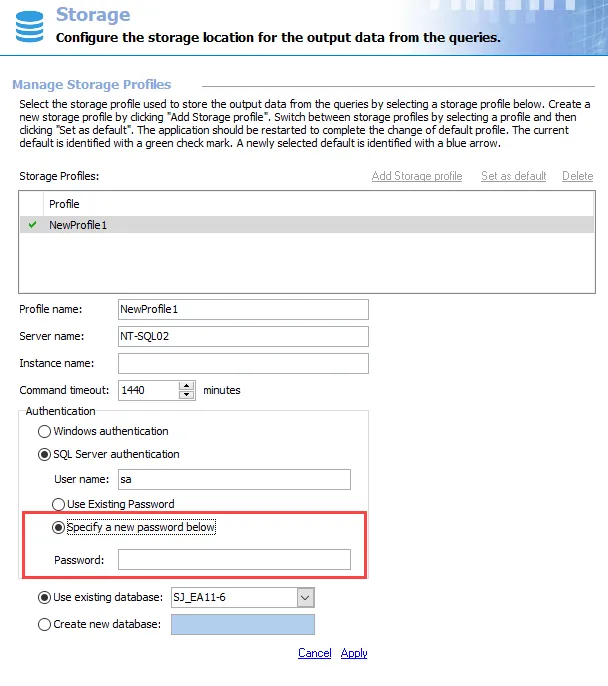
Step 3 – In the Authentication section, click the Specify a new password below radio button.
Step 4 – Enter a new Password.
Step 5 – Click Apply.
Access Analyzer adds the new password to the Storage Profile.