Storage Node
At the job group level, the Storage node identifies the Storage Profile assigned for the job group. You create all Storage Profiles at the global level (Settings > Storage). See the Storage topic for additional information.
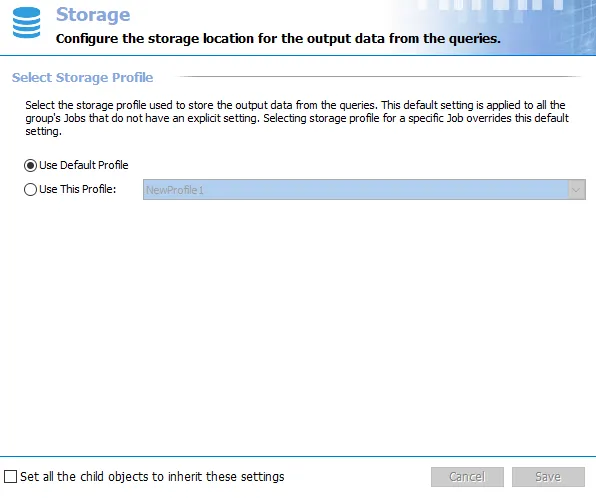
By default, Access Analyzer sets all job groups to inherit the Use Default Profile option from the global level or a parent job group. If a job group needs to send data to a different database, the Storage Profile must already exist at the global level. Select the Use This Profile radio button and choose the non-default Storage Profile from the dropdown menu.
Selecting the Set all the child objects to inherit these settings option forces inheritance of this setting to all sub-groups and jobs within the job group. When you enable this option, it overrides any custom settings configured for the child objects.