SharePointAccess Data Collector
The SharePointAccess (SPAA) Data Collector audits access, group membership, and content within a SharePoint on-premises and SharePoint Online environment. The SharePoint Solution preconfigures the SPAA Data Collector. Both this data collector and the solution are available with a special Access Analyzer license. See the SharePoint Solution topic for additional information. The SPAA Data Collector has the following requirements:
Protocols
- MS SQL
- Remote Registry
- SP CSOM (Web Services via HTTP & HTTPS)
- SP Server API
- WCF AUTH via TCP (configurable)
Ports
- Ports vary based on the Scan Mode selected and target environment. See the SharePoint Scan Options topic for additional information.
Permissions
- Permissions vary based on the Scan Mode selected and target environment. See the SharePoint Support topic for additional information.
Sensitive Data Discovery Considerations
If you run Sensitive Data Discovery (SDD) scans, you must increase the minimum amount of RAM. Each thread requires a minimum of 2 additional GB of RAM per host. For example, if you configure the job to scan 8 hosts at a time, it requires an extra 16 GB of RAM (8x2=16).
SPAA Query Configuration
You configure the SharePointAccess Data Collector through the SharePoint Access Auditor Data Collector Wizard. The wizard contains the following pages, which change based up on the query Category selected:
- Welcome
- SPAA: Category
- SPAA: SharePoint Data Collection Settings
- SPAA: Scan Scoping Options
- SPAA: Additional Scoping
- SPAA: Agent Settings
- SPAA: Bulk Import Settings
- SPAA: DLP Audit Settings
- SPAA: Select DLP Criteria
- SPAA: Activity Date Scope
- SPAA: Activity Log Locations
- SPAA: Test Access
- SPAA: Results
- SPAA: Summary Page
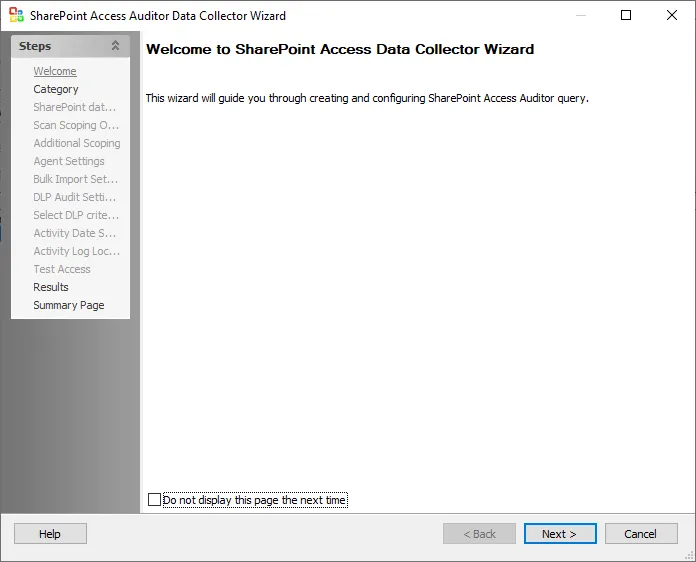
You can hide the Welcome page by checking the Don't display this page the next time box when the wizard is open and you save configuration settings.