GroupPolicy: Target
Use the Target page to identify the host to get data from (wizard only) and the .admx source. It is a wizard page for the categories of:
- Policies State
- Policies State for all GPOs
- Local Policies
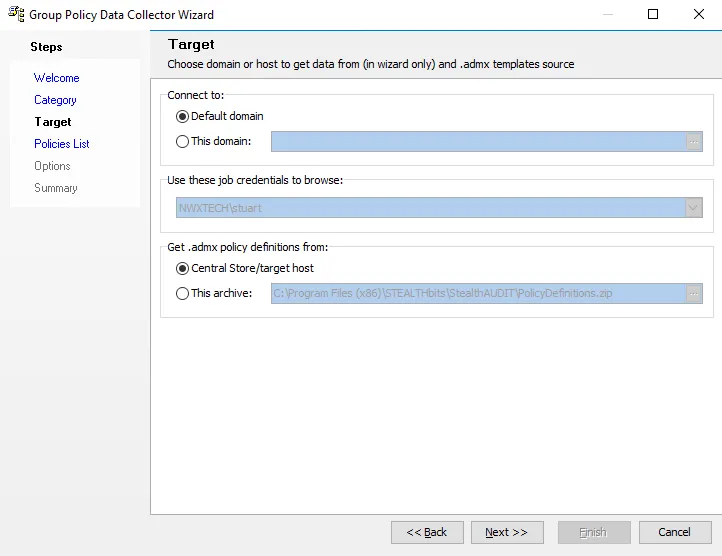
In the Connect to section of the page, select from the following options:
- Default domain – Select this option to connect to the default domain
- This domain – Select this option and click the ellipsis to open the Browse for Domain window. Then select the domain you want. Click OK.
In the Use these job credentials to browse section of the page, if you've set up multiple credentials, select the credentials to use for the query from the dropdown menu.
note
If the Default Connection profile has only one set of credentials, the dropdown grays out and displays only the default credentials for that profile.
In the Get .admx policy definitions from section of the page, select from the following options:
- Central Store/target host – Select thisoption to get .admx policy definitions from the central store/target host
- This archive – Select this option to get .admx policy definitions from an archive and click the ellipsis to open the Select Archive File window. Then select an archive.