FSAA: Azure Tenant Mapping
Use the Azure Tenant Mapping page to configure the Application (client) ID and the target domain or Tenant ID for Microsoft Information Protection (MIP) scanning. It is a wizard page for the categories of:
- File System Access/Permission Auditing Scan
- File System SDD Scan
Remember, select the Enable scanning of files protected by Microsoft Information Protection checkbox on the FSAA: Scan Settings page to enable this page in the data collector wizard. For FSAA to scan files protected by MIP, meet the prerequisites and successfully create an Azure Connection Profile. See the Microsoft Information Protection Target Requirements topic for additional information on configuring the File System solution to scan for MIP labels.
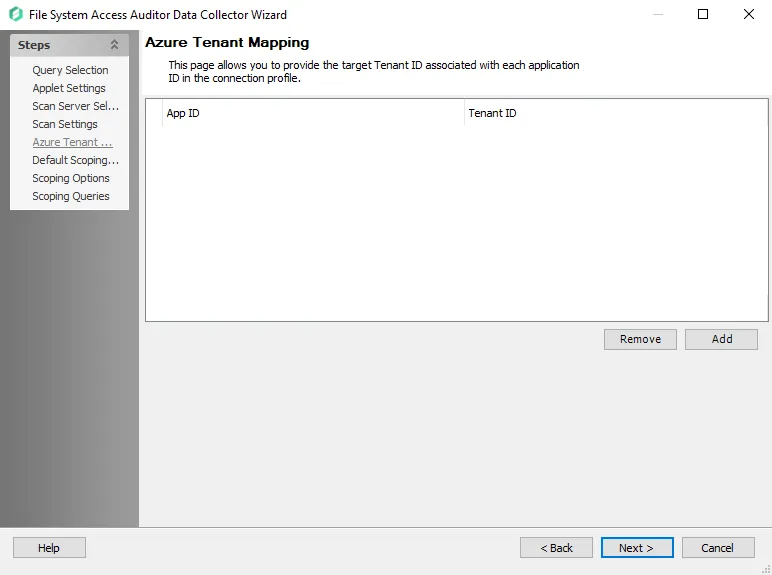
Populate this page with the App ID (created during prerequisites) and a domain name or Tenant ID for an Azure environment. You must associate these values with each application ID in the Azure Connection Profile.
Use the Add and Remove buttons, and manually enter or paste the required information into the textbox.