DropboxAccess: Select DLP Criteria
Use the Select DLP criteria for this scan page to configure criteria to use for discovering sensitive data. It is a wizard page for the Scan for Sensitive Content category.
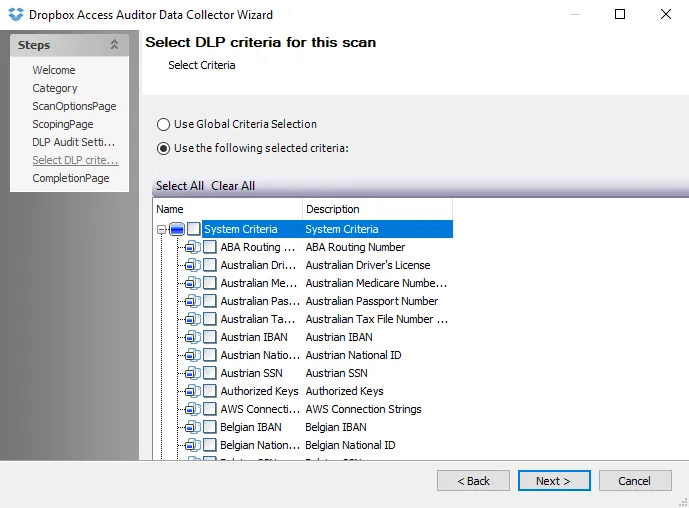
Select the checkbox next to each criteria to include in the search for sensitive data. You can also use the Select All and Clear All buttons.
The table contains the following types of criteria:
- System Criteria – Lists pre-defined criteria
- User Criteria – Lists user-defined criteria
Use the Edit button to access the Criteria Editor, where you can create or customize user-defined criteria. See the Sensitive Data Criteria Editor topic for additional information.