CLU: Profile Parameters
The Profile Parameters page provides settings to configure the parameters for the profile. It is a wizard page for the Edit Profile or Create a New Profile selections on the Profile Type page.
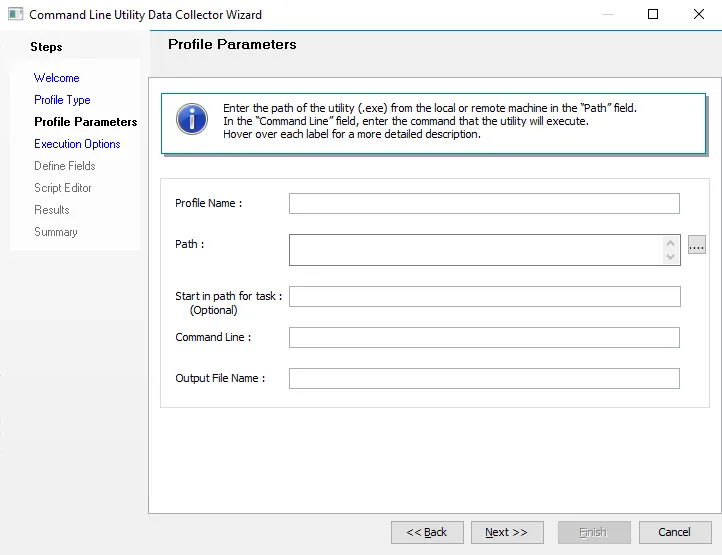
Profile parameters include:
- Profile Name – Name of the profile. If you selected Edit Profile on the Profile Type page, this is the name of the existing profile you want to edit. If you selected Create a New Profile, this is the name of the new profile.
- Path – Path of the utility (.exe) from the local or remote machine. If stored on the local machine, give the local path. If the utility exists in multiple paths on the same machine, enter each path on a new line in this field. If the .exe file is present in the installed Command Line Utility (CLU) directory, then enter the utility name rather than the full path.
- Start in path for task (Optional) – Working directory for the command line that executes the program or script. This should be either the path to the program or script file, or the path to the files that the executable file uses.
- Command Line – Command that the utility executes. If the utility is self-executable and doesn't need a command, leave this field blank.
- Output File Name – Enter the name you want for the output file. By default, the output file name matches the profile name.