Drop AWS Tables
Sometimes, when you troubleshoot an AWS issue, you need to clear the AWS DC data and tables from the Access Analyzer database. To configure a job to remove tables:
Step 1 – Create a new job.
Step 2 – Configure the target host as Local host.
Step 3 – Assign a query using the AWS Data Collector.
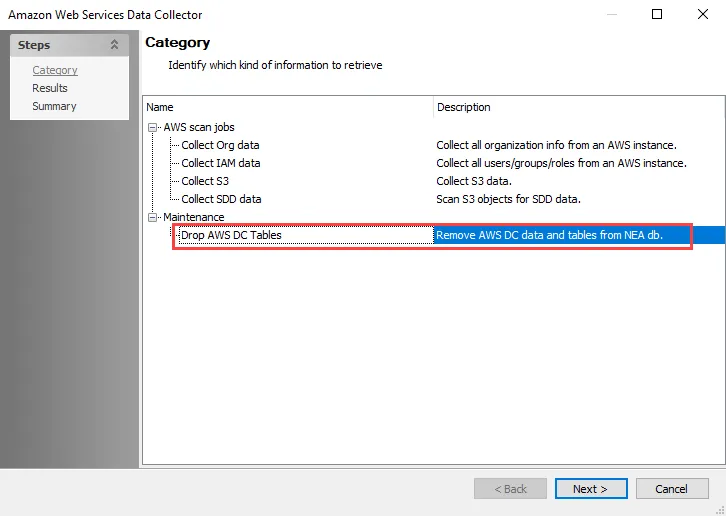
Step 4 – In the Amazon Web Services Data Collector Wizard on the Category page, select the Drop AWS DC Tables category task. Click Next.
Step 5 – Click Next and then click Finish to close the Amazon Web Services Data Collector Wizard. Click OK to close the Query Properties window.
Running the job removes all of the AWS DC data and tables from the database.
You've now configured the job, and it's ready to run.
An AWS connection profile isn't required for the Drop AWS DC Tables task.