ADInventory Data Collector
The extraction and correlation of user, group, and computer attributes drastically transforms the meaning of data collected across the many systems and applications that are linked to Active Directory. The ADInventory Data Collector is a highly scalable data collection mechanism that catalogues user, group, and computer object information for other solutions within Access Analyzer to use.
The ADInventory Data Collector is a core component of Access Analyzer. The .Active Directory Inventory Solution includes this data collector preconfigured. Both this data collector and the solution are available with all Access Analyzer license options. See the .Active Directory Inventory Solution topic for additional information.
Protocols
- LDAP
Ports
- TCP 389
- TCP 135-139
- Randomly allocated high TCP ports
Permissions
-
Read access to directory tree
-
List Contents & Read Property on the Deleted Objects Container
noteSee the Microsoft Searching for Deleted Objects article and the Microsoft Dsacls article for additional information.
Functional Design of the ADInventory Data Collector
The ADInventory Data Collector updates incrementally. After it has run against a domain controller, additional collections gather the changes that occurred since the last scan. This enables the ADInventory Data Collector to function efficiently within large environments. Each time you run it against different domain controllers, it restarts the cycle.
ADInventory Query Configuration
The ADInventory Data Collector is configured through the Active Directory Inventory DC Wizard, which contains the following wizard pages:
- Welcome
- ADInventory: Category
- ADInventory: Results
- ADInventory: Options
- ADInventory: Index Update Options
- ADInventory: Custom Attributes
- ADInventory: Summary
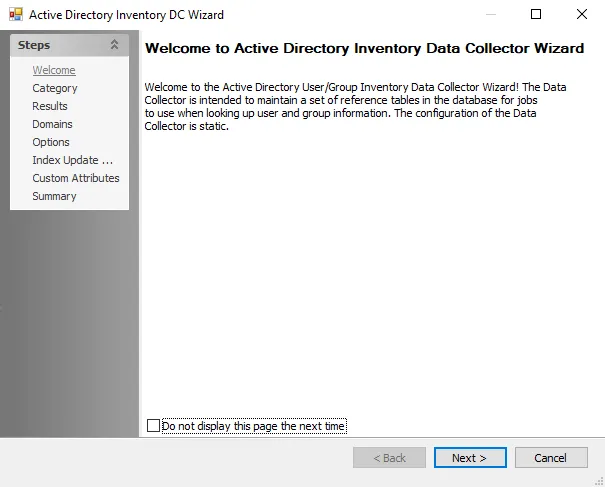
To hide the Welcome page, select the Don't display this page the next time checkbox while the wizard is open, then save the configuration settings.