ADActivity: SAM Connection
Use the SAM connection page to configure the port number for sending Active Directory data from Netwrix Activity Monitor. It is a wizard page for the category of:
- Import from SAM
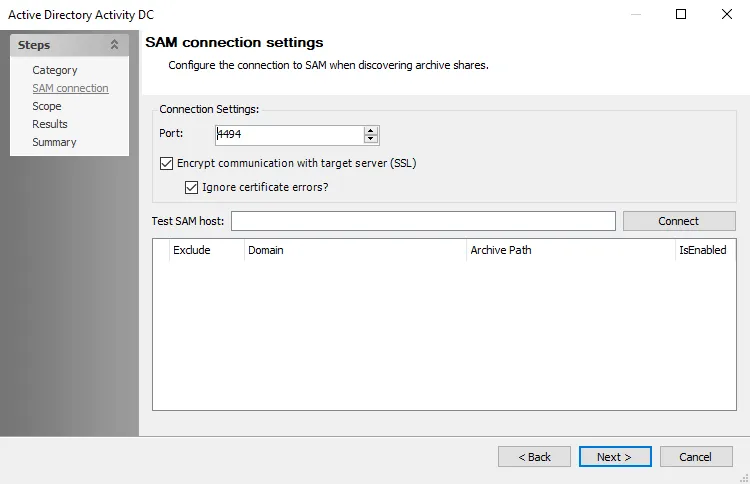
The following connection setting can be configured to connect to the Netwrix Activity Monitor archive via an API Server:
-
Port – Enter the API server port. The default is 4494.
-
Encrypt communication with target server (SSL) – Allows the Active Directory Activity Data Collector to communicate with the SAM API Server over a secure channel
- Ignore certificate errors? – Ignores untrusted certificate authority errors and allows the scan to continue
-
Test SAM host – Enter the Activity Monitor API server name in a qualified domain name format. Click Connect to test the connection. A successful connection displays a Refresh token.
-
Exclude – Select archives for the Active Directory Activity DC scan to ignore
warningSave the Refresh token to a Text Editor for later use. The Refresh token resets each time you use the Test SAM host option to connect. If it regenerates, replace it in the Connection profile.
-
Refresh token – After generation, it must replace the old Access Token from the SAM API Server configuration in the Connection Profiles required to connect to the API Server