AutoAction Analysis Module
The Auto Action analysis module executes a pre-configured action as part of the analysis task execution. To add an action to an analysis via the Auto Action analysis module, the action must already exist and it must reside within the current job.
The Actions node can also automatically execute actions. See the Action Modules topic for additional information.
Select Action Window
The Select Action window lists the actions that exist within the Job and that you can select to run automatically upon job execution.
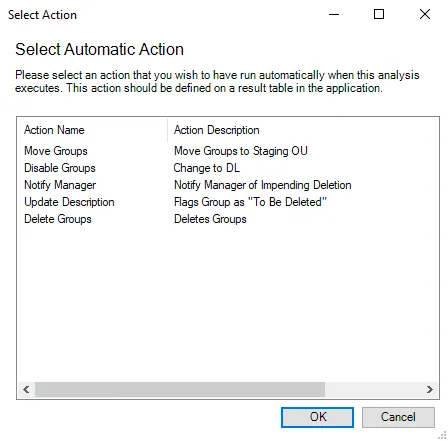
Select an action from the list. Click OK to exit the window, and then click Save to preserve the changes made to the analysis module. The action now executes as part of the analysis task. If you didn't select any actions, click Cancel to close the Select Action window instead. This prevents the wizard from saving accidental selections. Actions only display if they exist within the Actions node of the current Job.