Active Directory Action Target
Use the Target (Identification Criteria) page to select one or more fields (columns) in the Access Analyzer source table that uniquely identifies the target Active Directory objects upon which to perform the action. This process enables Access Analyzer to locate those objects within Active Directory. Added fields are displayed in the textbox.
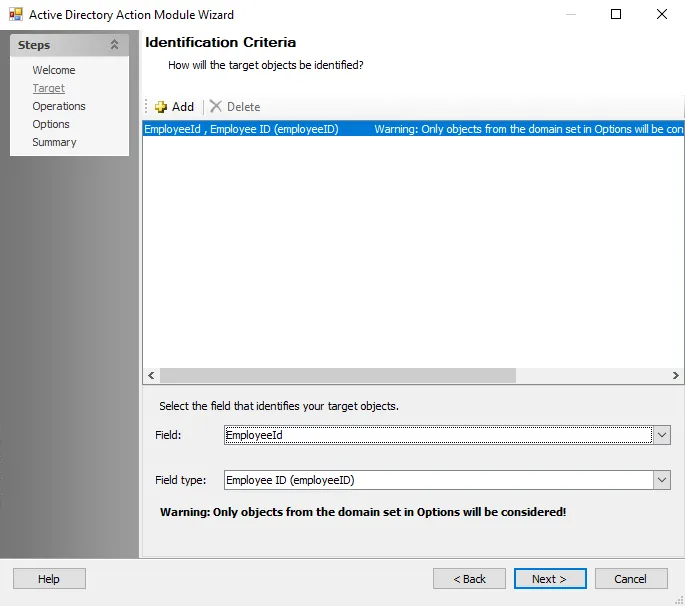
Use the following options to configure the action:
-
Add – Adds the selected field and field type to the Selections pane
-
Delete – Removes the highlighted operation from the Selection pane
-
Field – The name of the column in the Access Analyzer source table. Select the field that uniquely identifies the target AD objects (represented by rows in the Access Analyzer table). The dropdown list displays the fields from the source data table specified on the Action Properties page. The list excludes any default fields such as HOSTSTATUS, on which you can't perform actions.
-
Field Type – The type of data contained in the specified field. Access Analyzer must know the data type of the selected field. Otherwise, errors may appear when you run the action, and report results may be incomplete. The dropdown list contains the following field types:
- Distinguished Name or DN
- GUID
- SID
- WindowsID
- Employee (employeeID)
While one field is usually sufficient to identify AD objects, if you specify multiple fields, you can use each field type only once.