FS_LargestResources Job
The FS_LargestResources job is designed to report on the largest resources from targeted file servers.
Analysis Tasks for the FS_LargestResources Job
View the analysis tasks by navigating to the FileSystem > 4.Content > Sizing > FS_LargestResources > Configure node and select Analysis.
warning
Don't modify or deselect the selected analysis tasks. The analysis tasks are preconfigured for this job.
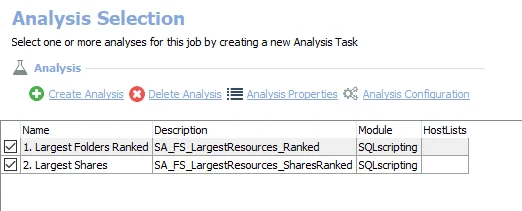
The following analysis tasks are selected by default:
- 1. Largest Folders Ranked – Creates the SA_FS_LargestResources_Ranked table accessible under the job’s Results node
- 2. Largest Shares – Creates the SA_FS_LargestResources_SharesRanked table accessible under the job’s Results node
In addition to the tables and views created by the analysis tasks, the FS_LargestResources job produces the following pre-configured reports:
| Report | Description | Default Tags | Report Elements |
|---|---|---|---|
| Largest Folders | This report identifies the largest folders found. | None | This report is comprised of two elements:
|
| Largest Shares | This report identifies the largest shares within the environment. | None | This report is comprised of two elements:
|