EX_StaleMailboxes Job
The EX_StaleMailboxes job provides analysis and reporting around orphaned and stale mailboxes.
Analysis Tasks for the EX_StaleMailboxes Job
View the analysis tasks by navigating to the Exchange > 4. Mailboxes > Sizing > EX_StaleMailboxes > Configure node and select Analysis.
warning
Don't modify or deselect the selected analysis tasks. The analysis tasks are preconfigured for this job.
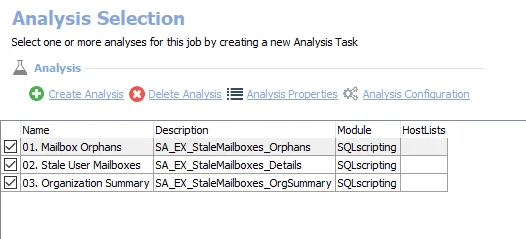
The following analysis tasks are selected by default:
- 1. Mailbox Orphans – Creates the SA_EX_StaleMailboxes_Orphans table, accessible under the job’s Results node
- 2. Stale User Mailboxes – Creates the SA_EX_StaleMailboxes_Details table, accessible under the job’s Results node
- 3. Organization Summary – Creates the SA_EX_StaleMailboxes_OrgSummary table, accessible under the job’s Results node
In addition to the tables and views created by the analysis tasks, the EX_StaleMailboxes Job produces the following pre-configured reports:
| Report | Description | Default Tags | Report Elements |
|---|---|---|---|
| Orphaned Mailboxes | Orphaned Mailboxes don't have an Active Directory account associated with them, and generally can be safely deleted. | None | This report is comprised of three elements:
|
| Stale Users (Mailboxes associated with Stale AD Accounts) | This report shows mailboxes which are tied to stale user accounts. | None | This report is comprised of three elements:
|