EX_DeliveryTimes Job
The EX_DeliveryTimes Job provides information around organizational and server-level delivery times.
Analysis Tasks for the EX_DeliveryTimes Job
View the analysis tasks by navigating to the Exchange > 1. HUB Metrics > EX_DeliveryTimes > Configure node and select Analysis.
warning
Don't modify or deselect the selected analysis tasks. The analysis tasks are preconfigured for this job.
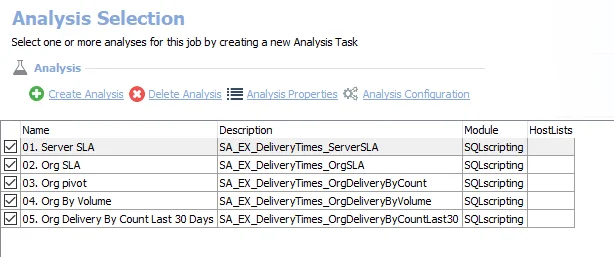
The following analysis tasks are selected by default:
- 1. Server SLA – Creates the SA_EX_DeliveryTimes_ServerSLA table, accessible under the job’s Results node
- 2. Org SLA – Creates the SA_EX_DeliveryTimes_OrgSLA table, accessible under the job’s Results node
- 3. Org pivot – Creates the SA_EX_DeliveryTimes_OrgDeliveryByCount table, accessible under the job’s Results node
- 4. Org By Volume – Creates the SA_EX_DeliveryTimes_OrgDeliveryByVolume table, accessible under the job’s Results node
- 5. Org Delivery By Count Last 30 Days – Creates the SA_EX_DeliveryTimes_OrgDeliveryByCountLast30 table, accessible under the job’s Results node
In addition to the tables and views created by the analysis tasks, the EX_DeliveryTimes Job produces the following pre-configured report:
| Report | Description | Default Tags | Report Elements |
|---|---|---|---|
| Delivery Times | This report highlights delivery times overall and by server to identify potential issues with SLAs. | None | This report is comprised of three elements:
|