0-Oracle_Servers Job
The 0-Oracle_Servers job is designed to enumerate and store the list of Oracle Database Instances running on the targeted servers.
Query for the Oracle_Servers Job
The Server Discovery query uses the PowerShell Data Collector for the following query:
Don't modify the query. The query is preconfigured for this job.
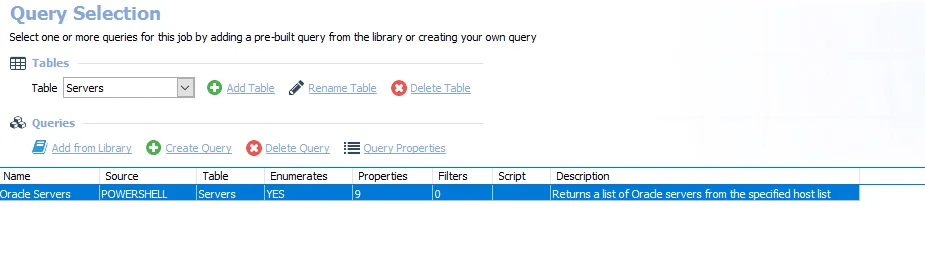
- Oracle Servers – Returns a list of Oracle servers from the specified host list
Errors running the query during Oracle instance discovery might not be reported. An
additional log to store the issues has been added for instance discoveries named
Oracle_Server_log_[target_hostname]. This file is in
%sainstalldir%\Jobs\GROUP_ORACLE_0.Collection\GROUP_1.Discovery\JOB_Oracle_Servers\OUTPUT. See the
PowerShell Data Collector
topic for additional information.
Analysis Task for the Oracle_Servers Job
Navigate to the Databases > 0.Collection > Oracle > 0-Oracle_Servers > Configure node and select Analysis to view the analysis tasks.
Don't modify or deselect the selected analysis task. The analysis task is preconfigured for this job.
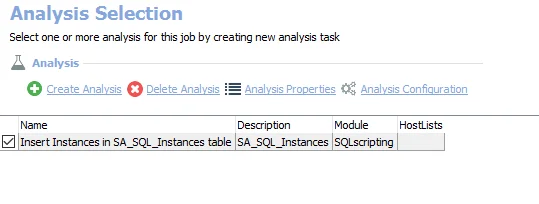
The default analysis task is:
- Insert Instances in SA_SQL_Instances table – Creates the SA_SQL_Instances table accessible under the job’s Results node