AD_NestedGroups Job
The AD_NestedGroups Job identifies nested groups within Active Directory and provides details such as the levels of nesting. While Active Directory lets you nest certain types of groups within other groups, Microsoft recommends nesting doesn't go beyond two levels to avoid difficulties in understanding effective membership and access.
Analysis Tasks for the AD_NestedGroups Job
Navigate to the Active Directory > 1.Groups > AD_NestedGroups > Configure node and select Analysis to view the analysis tasks.
warning
Don't modify or deselect the selected analysis tasks. The analysis tasks are preconfigured for this job.
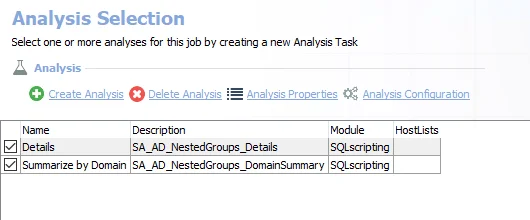
The default analysis tasks are:
- Details – Creates the SA_AD_NestedGroups_Details table accessible under the job’s Results node
- Summarize by Domain – Creates the SA_AD_NestedGroups_DomainSummary table accessible under the job’s Results node
In addition to the tables and views created by the analysis tasks, the AD_NestedGroups Job produces the following pre-configured report:
| Report | Description | Default Tags | Report Elements |
|---|---|---|---|
| Nested Groups | This report identifies the groups with the largest amount of nested groups, and how many levels of nesting there are. | None | This report is comprised of three elements:
|