Configure the Target OU
Complete the following steps to configure the target staging OU.
Step 1 – Navigate to the [Job] > Configure > Actions node.
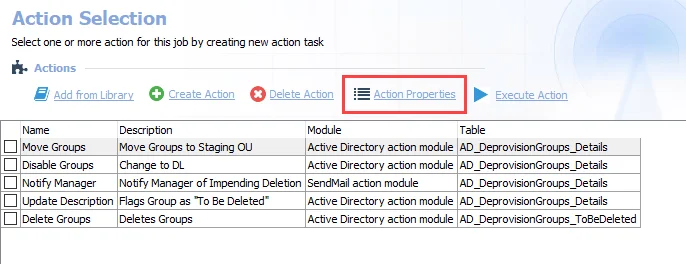
Step 2 – On the Action Selection page, select the action task you want and click Action Properties.
Step 3 – In the Action Properties window, select Configure Action. The Active Directory Action Module Wizard opens.
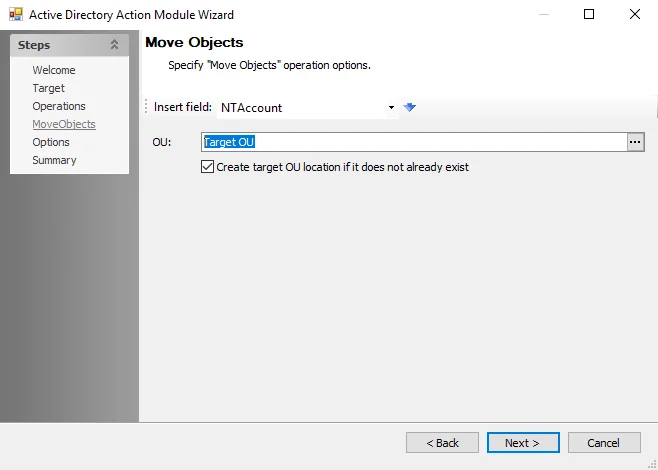
Step 4 – Navigate to the Move Objects page of the Active Directory Action Module Wizard. In the OU field, enter or browse to the target OU. To create the target OU location, select the Create target OU location if it doesn't already exist checkbox.
Step 5 – Navigate to the Summary page and click Finish.
The target OU is now set for the action task.