Appendix for the StealthAUDIT MAPI CDO Installation Guide
You must install the Enterprise Auditor MAPI CDO first before installing the Microsoft Exchange MAPI CDO.
Before installing either binary, close the Enterprise Auditor application and ensure you meet the following requirements:
- Exchange System Manager for Exchange 2003 isn't installed on the Enterprise Auditor Console server.
- Microsoft Outlook isn't installed on the Enterprise Auditor Console server.
These programs will interfere with the Microsoft Exchange MAPI CDO installation and with MAPI connections if you install them on the Enterprise Auditor Console server.
To install the Microsoft Exchange MAPI CDO:
Step 1 – Download and run the ExchangeMapiCDO application from Microsoft.
The steps may be slightly different than the following. See Microsoft’s website for additional detail.

Step 2 – Choose the “Directory For Extracted Files” or accept the default location. Click OK.

Step 3 – When the extraction is complete, click OK.
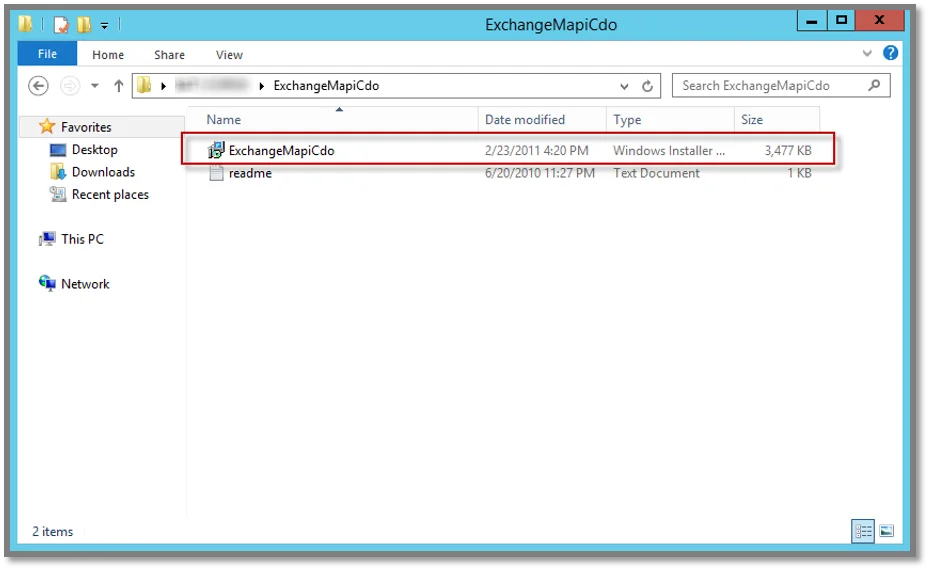
Step 4 – Open the ExchangeMapiCdo folder and run the ExchangeMapiCdo application installer.
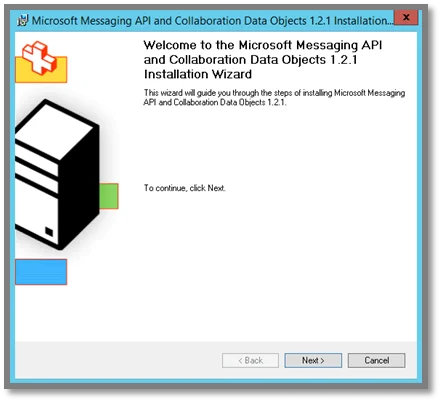 | 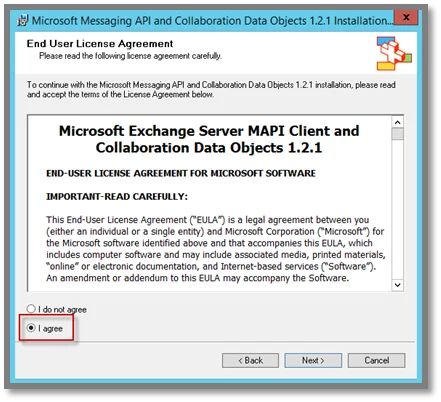 |
Step 5 – On the Welcome page of the Installation Wizard, click Next. Accept the license agreement and click Next.
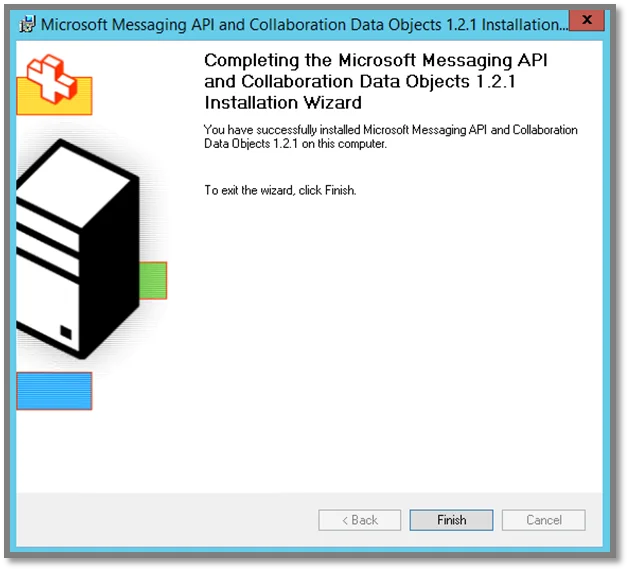
Step 6 – When the installation is complete, click Finish.
Reopen the Enterprise Auditor application. You can now configure the Settings > Exchange node.