Upgrade SharePoint Agent
To upgrade the SharePoint Agent:
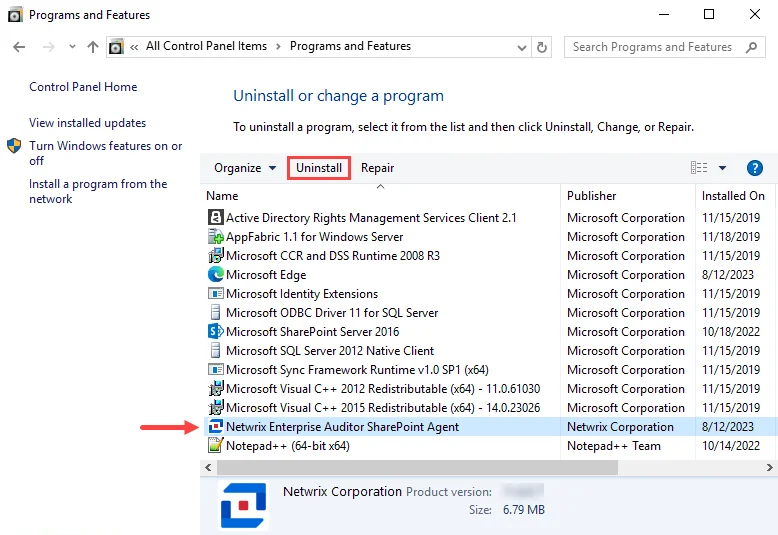
Step 1 – From Programs and Features (Control Panel > Programs > Programs and Features), uninstall the previous version of SharePoint Agent.
Step 2 – Install the new version of the SharePoint Agent. See the Installing the SharePoint Agent topic for instructions.
Step 3 – If also conducting Sensitive Data Discovery Auditing, after the installation completes, upgrade the Sensitive Data Discovery Add-on on the SharePoint server. See the Sensitive Data Discovery Add-On Installation topic for additional information.
Now that you have upgraded the SharePoint Agent, the SharePoint Solution can use it. See the SharePoint Solution topic for additional information.