Deleting False Positive Exclusion Filters
To delete a False Positive Exclusion Filter:
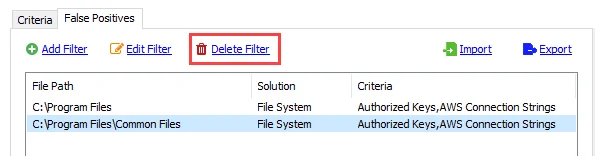
Step 1 – Select a filter from the list and click Delete Filter.
Step 2 – Click Save on the Sensitive Data view to save changes.
Enterprise Auditor successfully deletes the false positive exclusion filter.