Publish Security Page
The Publish Security page of the Report Configuration wizard contains the account names of users with inherited permissions to view the generated report.
This page is only enabled if Role Based Access is configured for the Enterprise Auditor Console. See the Role Based Access topic for additional information.
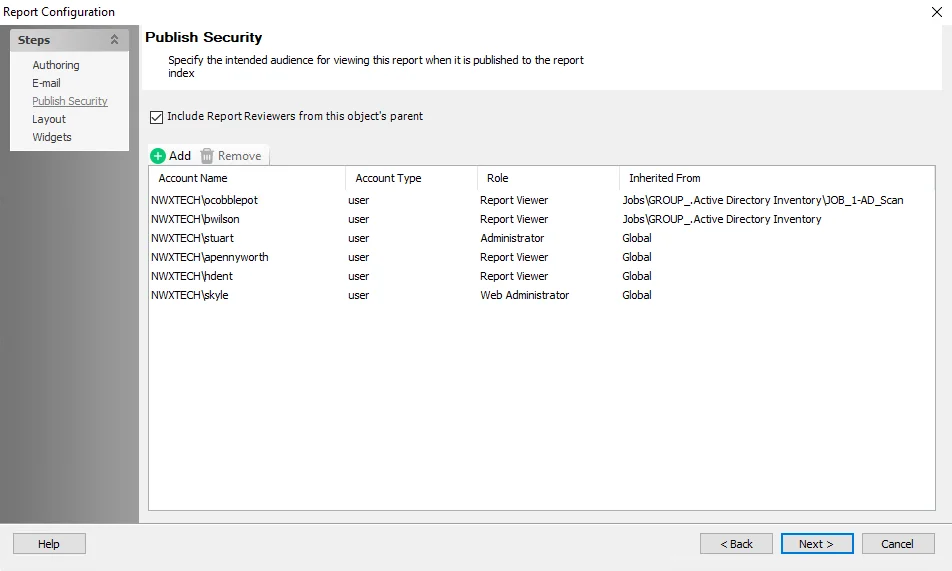
Roles assigned at the global level inherit down to the report configuration. You can also add additional report viewer privileges at the job group or job levels.
De-select the Include Report Reviewers from this object's parent checkbox to remove all inherited accounts with the Report Viewer role.
You can add additional users, groups, and service accounts with the Report Viewer role at the Report level. This gives them the permission to view the specific report in the Web Console. Follow the steps to add an account.
Step 1 – Click Add.
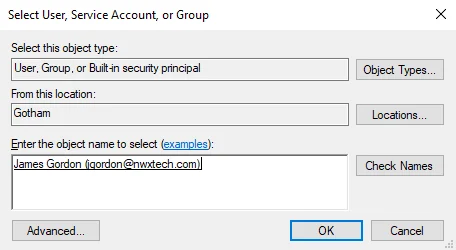
Step 2 – On the Select User, Service Account or Group window, select the account you want and then click OK.
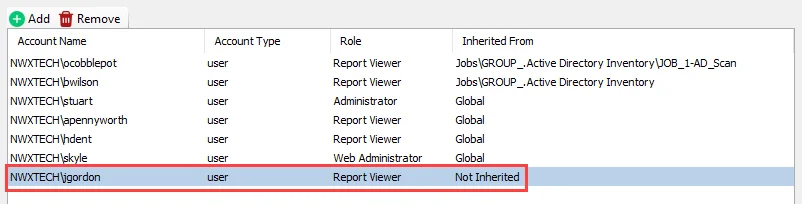
Enterprise Auditor adds the selected account to the list with a Role of Report Viewer.
You can also remove the permission for accounts that aren't Inherited using the wizard. To remove an account, select it and then click Remove.