Reporting
Enterprise Auditor lets you report on collected data in multiple ways such as tables, views, graphs, and emails. Depending on the type of data collected, different reporting methods can simplify how to present and understand the information.
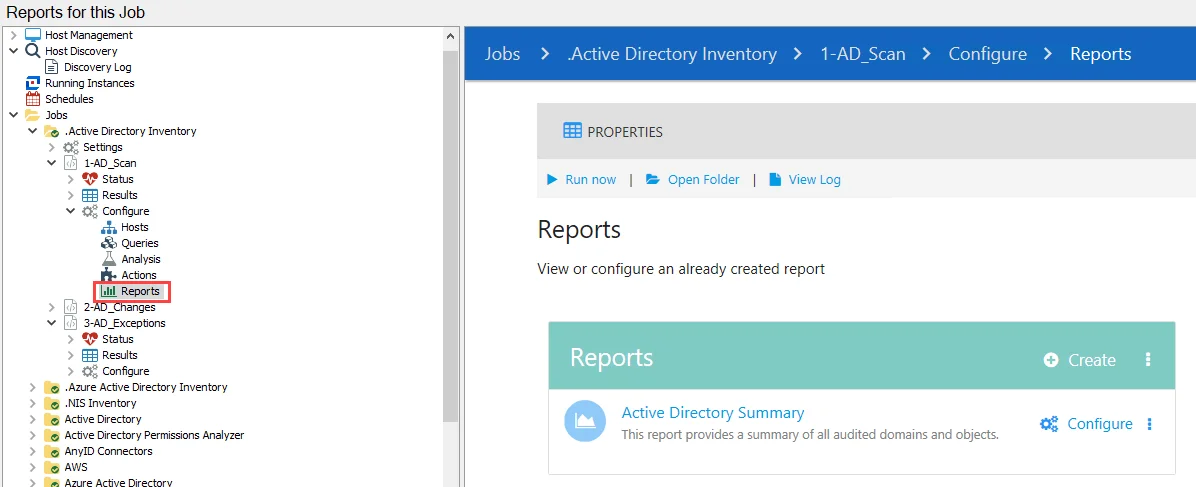
The Reports node, contained within a job’s Configure node, lists any reports that are configured for the job. The page contains options to create a report, configure existing reports, and a link to view generated reports. The configuration of reports vary by use case, but they contain the same elements. You configure the layout and elements of a report using the Report Configuration Wizard.
In addition, there are various ways to view and interact with generated reports. You can view generated reports in the Enterprise Auditor Console or in the Web Console. Reports can also be configured to be downloaded as a CSV file, or sent as an email in various forms. See the Viewing Generated Reports topic for additional information.
The global settings configured under the Settings node inherit down through the Jobs tree to the job unless you break inheritance in a job group’s Settings node, a job’s Properties window, or in the Report Configuration Wizard. See the Reporting topic for additional information.