Performance Tab
Use the Performance tab options to improve job performance and runtime.
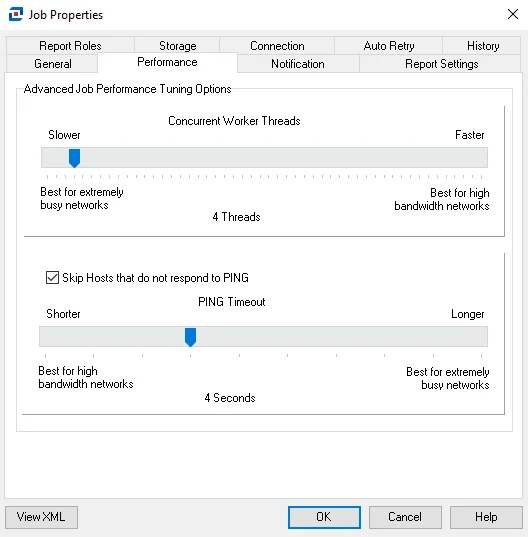
Adjust the following settings by sliding the needle up and down the line:
-
Concurrent Worker Threads – The number of worker threads selected equals the number of hosts being queried concurrently. If needed, you can increase this value.
-
Skip Hosts that don't respond to PING – Selected by default. Deselect if you configured a target host to not respond to PING requests, allowing Enterprise Auditor to scan the target host without a PING response.
noteIn most cases, avoid deselecting this option. Doing so causes the job to continue querying offline hosts until the job timeout value is reached, set by default to 20 minutes.
-
PING Timeout – The PING timeout value is the number of seconds before a host is identified as offline for not responding to PING
Click OK to save configuration changes and close the Job Properties window. Click Cancel if you didn't make changes.