Create a New Job
To create a new job:
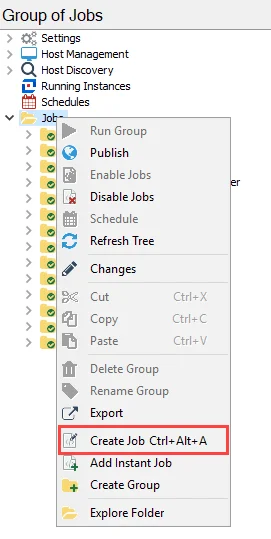
Step 1 – Select the Jobs tree or the job group you want to add the new job to. Right-click and select Create Job.

Step 2 – Provide a unique, descriptive name for the job. The default name is NewJob. Some
considerations for naming conventions:
warning
Don't end a job name with a space.
- There can never be two jobs with the same name. Enterprise Auditor automatically appends a numeral
to the end of a job name to avoid duplicates, for example
NewJob1. - Don't use special characters. See the Microsoft Naming Conventions article for limitations.
- Enterprise Auditor runs jobs in a group alphanumerically
- When possible, keep names short to avoid report path errors caused by Microsoft’s maximum path length. See the Microsoft article referenced earlier in this topic.
You can now configure the new job. See the Data Collectors, Analysis Modules, Action Modules, and Reporting topics for additional information.