SPAA: Additional Scoping
Use the Additional Scoping page to limit the scan by depth. It's a wizard page for the categories of:
- Scan SharePoint Access
- Scan For Sensitive Content
Don't change scans in a way that results in a subsequent scan returning less data (for example, scanning fewer web applications, scanning fewer site collections, or using a shallower depth scan). Enterprise Auditor marks resources not included in a subsequent scan as deleted in the Tier 2 database and subsequently removes them from the Tier 1 database.
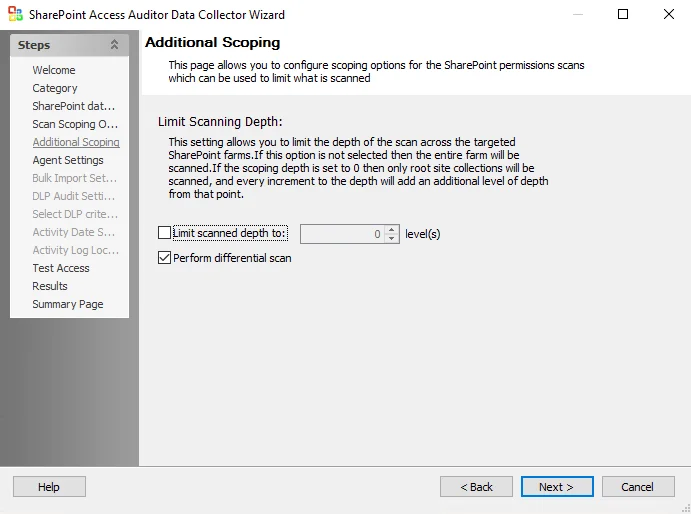
If you check this option, set the Limit scanned depth to: [number] levels option to the depth you want. If you don't check this option, the scan covers the entire farm. If you set the scoping depth to 0, the scan covers only root site collections. Each increment to the depth adds an additional level of depth from that point.
Check the Perform differential scan box to enable the job to run a differential scan. Differential scanning is on by default. When you enable this option, the SPAA scan only parses files for content/SDD that have changed since the last scan.
This option only applies to Tag collection and Sensitive data collection. Enterprise Auditor still scans files for permissions regardless of whether you check this option.