SMARTLog: Target Log for File Detection Log Type
Use the Target Log page to select the logs to collect. This version is a wizard page for the File Change Detection log type.
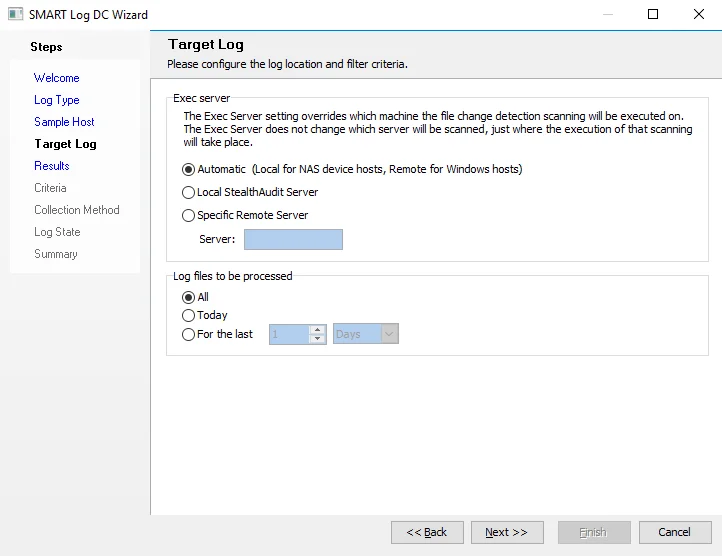
In the Exec server section, identify the server that will run the data collection by selecting one of the following options:
- Automatic (Local for NAS device hosts, Remote for Windows hosts)
- Local Enterprise Auditor Server
- Specific Remote Server – If you select this option, enter the server name in the Server textbox
In the Log files to be processed section, set the filter criteria.