SMARTLog: Collection Method
Use the Collection Method page to select the collection method the data collector uses. It's a wizard page for all log types.
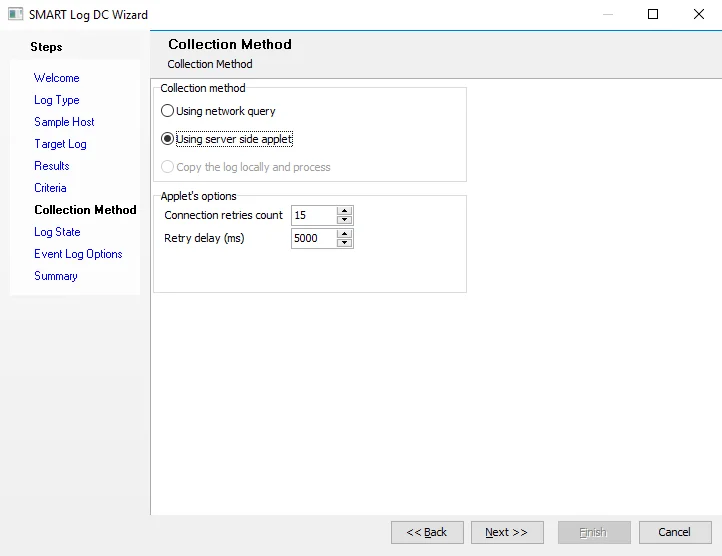
Select the collection method from the following options to set how the collection routine collects the data from the target.
-
Using network query – Connects to the target log over the network via RPC and reads events
-
Using server side applet – Deploys a remote executable to the target host and then runs as a process on the target host. It connects to the log, retrieves information, and returns it to the Enterprise Auditor Console.
noteYou can't use the applet to target the local host.
-
Copy the log locally and process (Not available for all query scenarios) – Extract events from an offline log by moving the log to the Enterprise Auditor Console and processing it on the local host instead of the target host. To use this option, the log type selected for the query must be Windows Event Log (Archived).
The Applet Options section is visible only when you select the Using server side applet collection method.
- Connection retries count – The number of times to retry a failed connection. The default is 15.
- Retry delay (ms) – The time between retries of a failed connection. The default is 5000 milliseconds (5 seconds).