INIFile: Properties
The Properties page identifies data about the INI file for auditing.
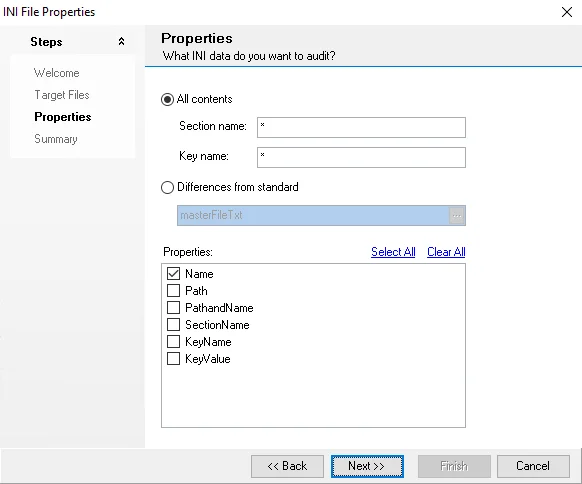
Use the following options to determine which data to adult:
-
All contents – Collect all contents from the INI file
noteUse
*to match wildcard or single characters.- Section name – Collect data matching section name from the INI file
- Key name – Collect data matching key name from the INI file
-
Differences from standard – Select a master control file to compare the current target against
- Click the ellipses (…) to open a file explorer window
- Select an appropriate .INI file
-
Properties – Select a checkbox next to any desired properties. You can also use Select All or Clear All.
If you select Differences from standard, the wizard selects all properties, and you can't change them.