ExchangeMetrics: Time Frames
Use the Time Frames page to configure message delivery time frames for which to return summary metrics by server. It is a wizard page for the category of:
- Delivery Time Custom.
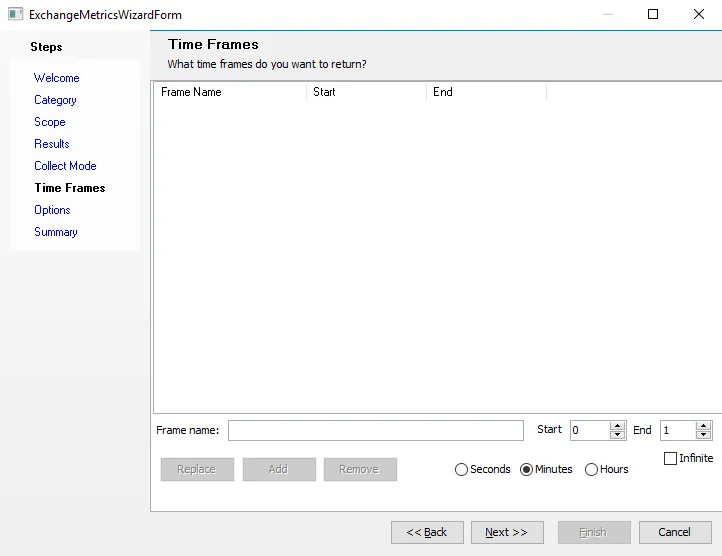
Configure the time frames you want using the following options:
-
Frame name – Name the configured time frame. Enter a name manually, or let a default populate when you set frame limits.
-
Start – Specify the lower limit of the delivery time frame
-
End – Specify the upper limit of the delivery time frame
-
Select the time unit of the time frame:
- Seconds
- Minutes
- Hours
For example, a Start value of 1 and an End value of 2 with the Minutes unit selected returns messages delivered in 1 to 2 minutes.
- Infinite – Select the checkbox to eliminate the End value from the scan. For example, a Start value of 2 with the Infinite checkbox selected retrieves all messages that took 2 seconds/minutes/hours or longer to deliver.
After you configure the frame, click Add. The configured message time frame will appear in the list. You can configure multiple time frames. Select a frame and click Replace to modify an existing frame. Use Remove to delete an existing frame.