ExchangeMetrics: Collect Mode
Use the Collect Mode page to set the collection mode. It is a wizard page for the categories of:
- Server Volume
- Internal Traffic Summary
- Internet Traffic Summary
- Delivery Time
- Delivery Time Custom
- User Statistics
- DL Statistics
- Hour Statistics
- Message Size Statistics
- Message Size Statistics Custom
- User’s Message Activity
- User’s Message Activity Per Hour
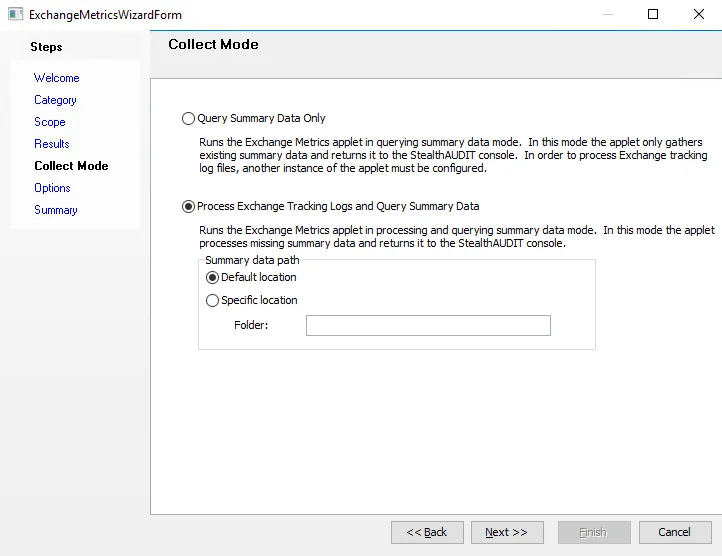
There are two types of collection modes:
-
Query Summary Data Only – In this mode, the applet gathers only existing summary data and returns it to the Enterprise Auditor Console. To process Exchange tracking log files, configure another instance of the applet.
-
Process Exchange Tracking Logs and Query Summary Data – In this mode, the applet processes missing summary data and returns it to the Enterprise Auditor Console. This mode includes an additional setting for Summary data path. Choose between:
- Default location
- Specific location – Specify the folder location