ExchangeMailbox: Scope
Use the Scope page to define which mailboxes to query. It is a wizard page for all of the categories.
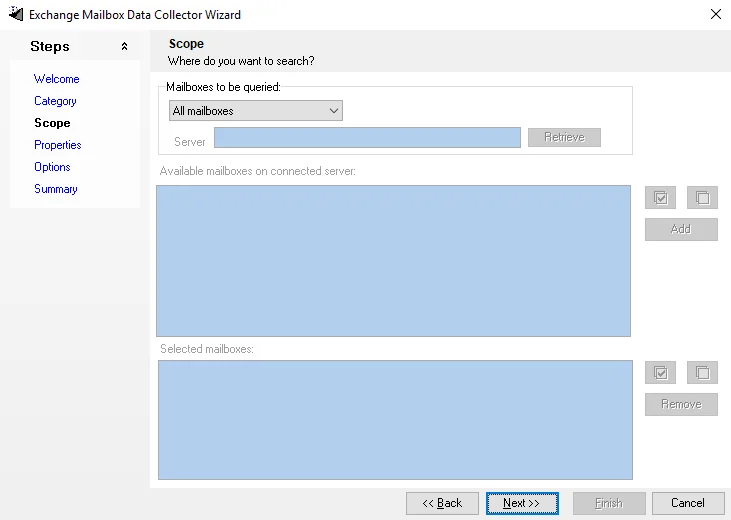
At the top, configure the mailboxes to query. The selected option changes how the data collector identifies mailboxes for scoping.
-
All mailboxes – Searches all mailboxes
-
Selected mailboxes from server – Retrieves all mailboxes in the Exchange organization, making them visible within the Available mailboxes on connected server list. The following options display:
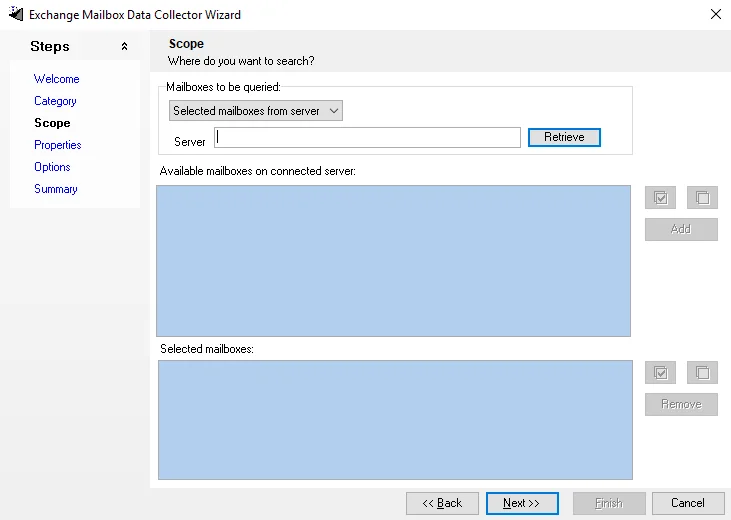
- Retrieve – Enter the server and select Retrieve to display the list of mailboxes on that server
- Add – Select the mailboxes you want to add to the query. The added mailboxes display in the Selected mailboxes list.
- Remove – Deletes selected mailboxes from the list
- Select All – Click the Select All icon to select all mailboxes in the list
- Clear All – Click the Clear All icon to clear all current selections in the list
-
Selected table – Populates the Available tables list with tables from the Enterprise Auditor database
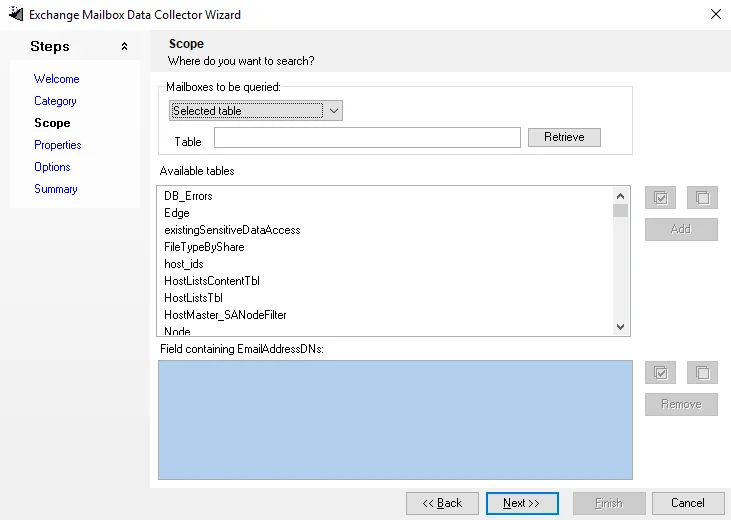
- Table – Filters this list by tables. Select the table that hosts the list of mailboxes to scope this query to.
- Field containing EmailAddressDNs – This list populates with columns from the selected table. Select the appropriate column from the list.