Exchange2K: Options
The Options page provides additional configuration options for the query. Available options vary depending on the category selected. It is a wizard page for all of the categories.
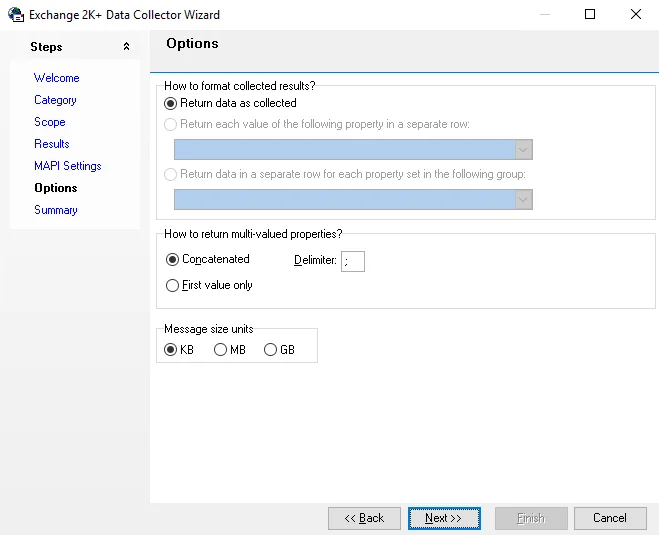
Configure the Options step using the following options:
-
How to format collected – Select how to format the table based on the return data
- Return data as collected
- Return each value of the following property in a separate row – Enabled for specific properties selected on the Results page
- Return data in a separate row for each property set in the following group – Enabled for specific properties selected on the Results page
-
How to return multi-valued properties – Select how to format the table when the return data contains multi-valued properties
-
Concatenated – Return the data in a continuous string without gaps
- Delimiter – Enter the delimiter to use between values
-
First-value only – Only display the first value
-
-
Message size units – Available for the Exchange Organization > Users, Mailbox Stores, and Public Stores categories. Choose between:
- KB
- MB
- GB