Box Data Collector
The Box Data Collector audits access, group membership, and content within a Box enterprise.
If you use the Box Data Collector in a new job, outside of the Box Solution, deselect the Skip Hosts that don't respond to PING option on the job’s Properties > Performance tab.
Netwrix preconfigures the Box Data Collector within the Box Solution. Both this data collector and the solution are available with a special Enterprise Auditor license. See the Box Solution topic for additional information.
Protocols
- HTTP
- HTTPS
Ports
- TCP 80
- TCP 443
Permissions
- Box Enterprise Administrator
Box Query Configuration
Configure the Box Data Collector through the Box Data Collector Wizard. The wizard contains the following pages, which change based on the query category you select:
- Welcome
- Box: Category
- Box: Exclusions Page
- Box: Scope by User Page
- Box: Additional Scoping
- Box: Activity Timeframe Scope
- Box: Activity Operation Scope
- Box: Authenticate
- Box: Results
- Box: Summary
The Welcome page gives an overview of the data collector. To proceed through the pages, click Next or use the Steps navigation pane to open another page in the wizard. Review the introductory and caution information about the Box Data Collector before proceeding.
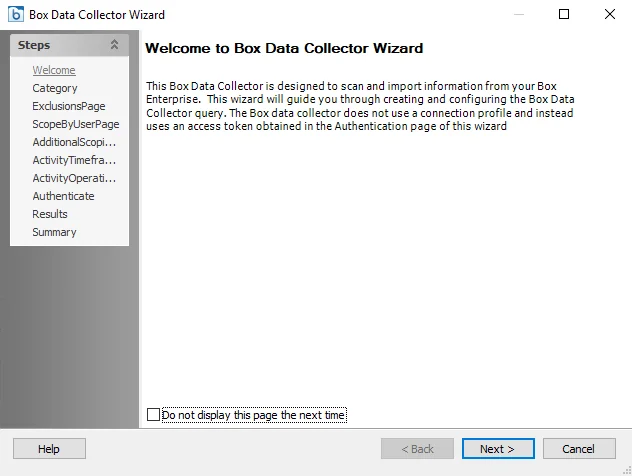
To hide the Welcome page, check the Don't display this page the next time box while the wizard is open, and save the configuration settings.