Notification: Event Log
The Event Log properties page is available when you select the Event log notification type on the Type page. Use this page to specify the type of event, the event ID, and the description for the event.
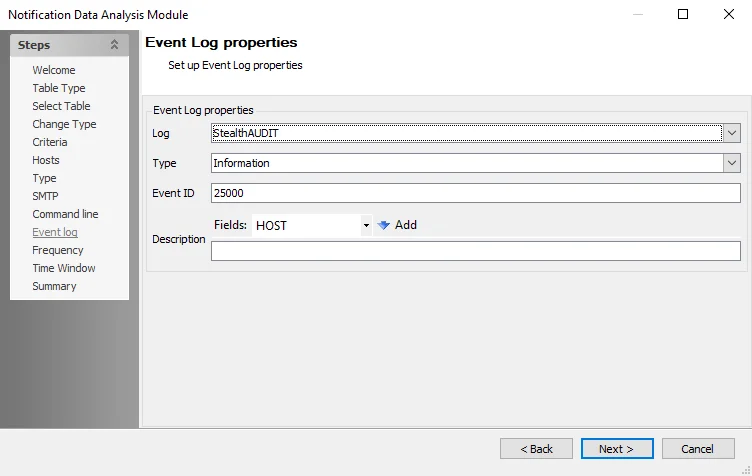
The following options are available:
-
Log – The event log name is Enterprise Auditor
-
Type – Specify the log type. The dropdown menu displays the following options:
- Information
- Warning
- Error
- FailureAudit
- SuccessAudit
-
Event ID – Specify the event ID
-
Description – Enter a description of the event
- Fields – To pass fields into the description, click the dropdown list, select a field from the list, then click Add