Survey Action Module
Use this action module to create surveys and make them available to targeted recipients via email. For example, a survey can solicit feedback from clients or poll employees on company issues.
The Survey Action Module Wizard builds customizable, web-based surveys containing questions created by the user. After you define the survey, you can specify a list of recipients. When executing the action, the process simultaneously sends an email to the recipients containing a link to the survey and creates a web page to host the survey.
This module sends one or more electronic messages to a selected audience. Before executing the action, ensure the audience consists of only the members you want. Netwrix recommends using this and all other Enterprise Auditor actions with caution.
Survey Action Source Table Configuration
All data tables used in Enterprise Auditor action modules require certain data columns. In
addition, individual action modules including Survey may have their own column
requirements. The Survey action module requires a column containing well-formatted email addresses
(for example, hfinn@netwrix.com) for your recipients.
Survey Action Module Wizard
The Survey action module is configured through the Survey Action Module Wizard, which contains the following wizard pages:
- Welcome
- Survey: Template (Legacy feature)
- Survey: Introduction
- Survey: Questions
- Survey HTML Style
- Survey: Web Server
- Survey: Mail – Properties
- Survey: Mail – Message
- Survey: Test Survey
- Survey: Summary
The Welcome page displays first and gives an overview of the action module. The navigation pane contains links to the pages in the wizard.
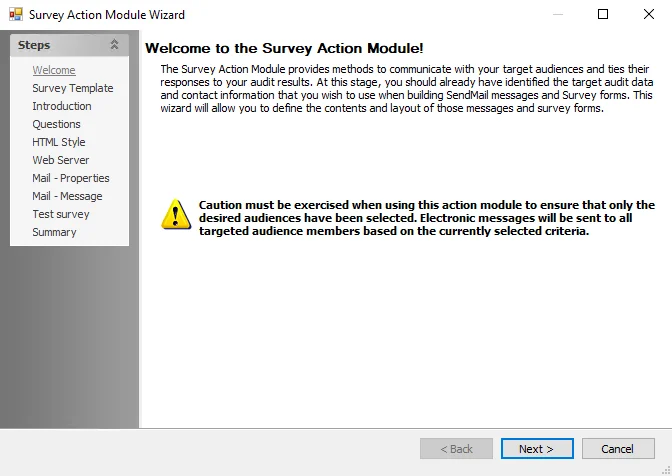
To proceed, click Next or use the Steps navigation pane to open another page in the wizard.