Mailbox: Delegate Rights
Use the Delegate Rights page to specify folder permissions for the selected delegates. A permission level can be specified for each folder on the page. It is a wizard page for the Add Delegates operation.
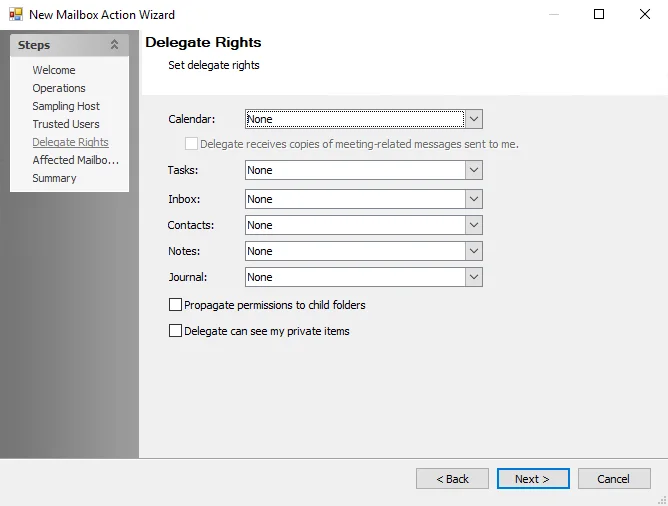
Set delegate rights using the following options:
-
Choose one of the following delegate rights to access each mailbox folder:
- None
- Reviewer
- Contributor
- Nonediting Author
- Author
- Editor
- Publishing Author
- Publishing Editor
- Owner
-
Select a right from the dropdown menu of any desired mailbox folder, including:
-
Calendar
noteIf you select Editor or a higher rights level, the wizard enables the Delegate receives copies of meeting-related messages sent to me option.
-
Tasks
-
Inbox
-
Contacts
-
Notes
-
Journal
-
-
Propagate permissions to child folders – Select the checkbox to Propagate permissions to the child folders of the selected folders
-
Delegate can see my private items – Select the checkbox to allow a delegate to access your personal items of the selected folders